Defaults and templates
Open it, and there's already a lot here
Once the built-ins are seeded (one command, see Self-host), your workspace comes stocked. You can start a small run on the defaults, read what comes back, and change one thing at a time from there.
Prompt sets
Baseline, Call-steady and Texting-sunny
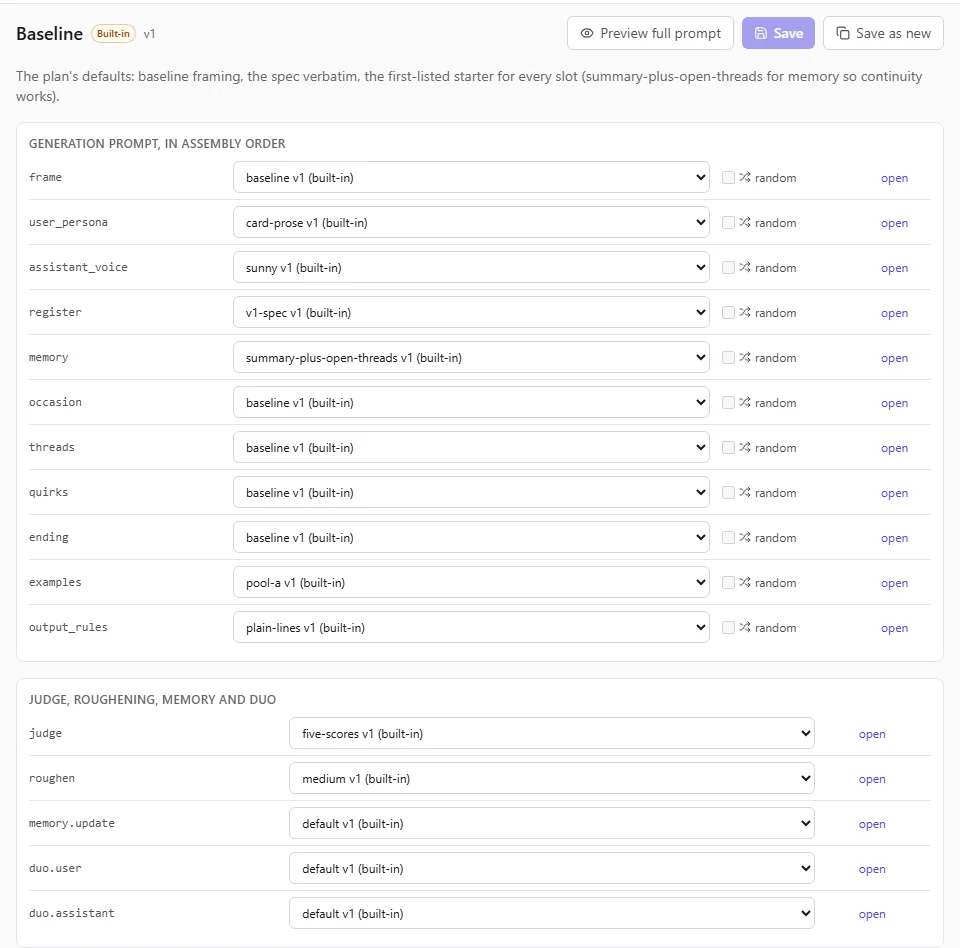
3 complete prompt sets ship with the app. Baseline holds the plan's defaults. Call-steady frames the conversation as a voice call and gives the friend a steadier voice. Texting-sunny frames it as texting, in a more compact register. Every generation slot has at least 3 built-in segments to choose from.
“New prompt set” starts from the Baseline choices, so a new set is a working set from the first second. Change one slot, preview the whole prompt, save.
Defaults that earned their place
The built-ins were tuned against the filters
The first version of the prompts kept 8% and 12% of what the model wrote in our first tests. After tuning, the same pipeline kept 50% to 56% on Ollama Cloud. The built-ins you start from come out of that tuning and the fixes after it.
Pilot phase A, 34 seeds per set on kimi-k3. Later builds added stricter rules, which lowered the rates again; the paired results are on Beyond vibe training.
People to talk to
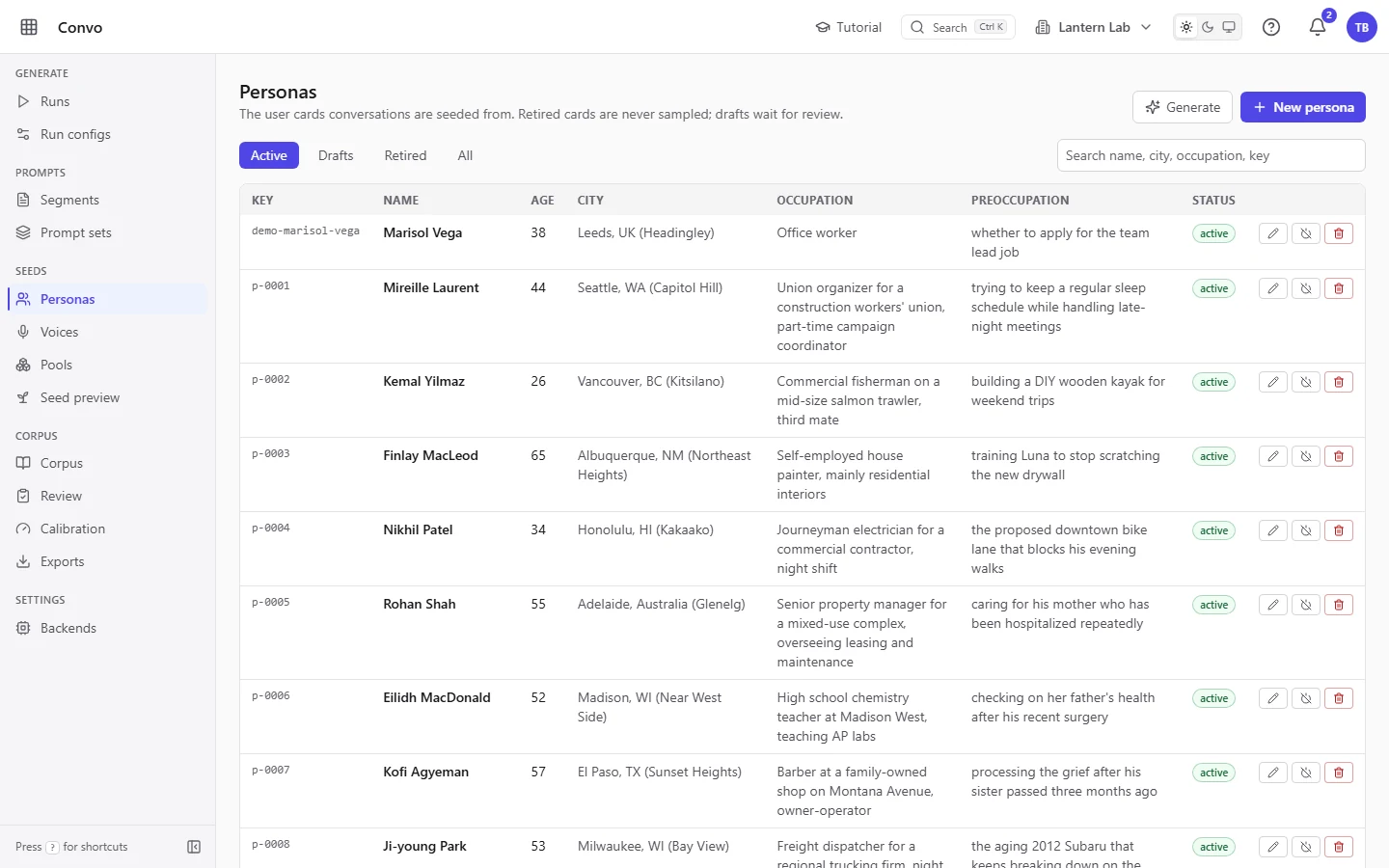
914 personas and 5 voices
Each persona card has a name, age, city, occupation, household, what's on their mind and a verbal habit, so the people in your corpus write differently from one another. Persona names never appear in the conversation text.
The friends are Pip, Rowan, Ozzie, Mags and Wren. Each has its own enthusiasms, humour and energy, and its name can appear, because the person talks to it.
Pools
What a conversation can be about
Sampler pools are weighted lists the seed draws from. The filter phrase lists are pools too: 241 entries across 7 lists, from support-bot phrasing to claims of a body, all editable on “Pools”.
| Category | Value |
|---|---|
| Threads (what people bring up) | 128 |
| Time contexts | 26 |
| Occasions | 20 |
| Quirks | 12 |
| Moods | 10 |
Guided tutorials
A tour on every tab
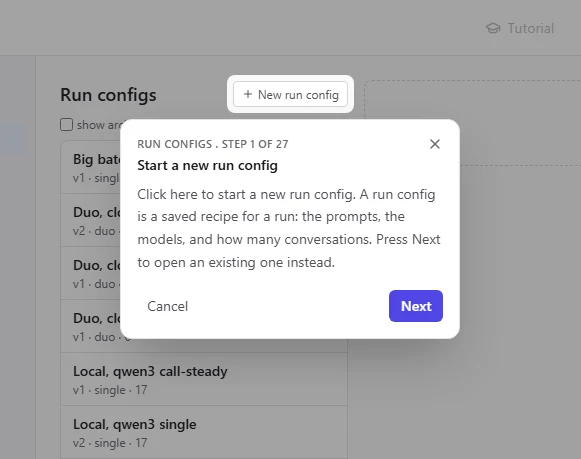
Press “Tutorial” in the top bar and the page walks you through itself, one highlighted control at a time. Where there are two ways forward, such as starting a new run config or opening an existing one, the card offers both.
Tutorials never act for you. They point and explain, you click, and Esc or “Cancel” ends the tour at any step.
More about the guided tours