Prompt sets
Pick one segment for each slot of the prompt, or let each conversation draw its own, and preview the whole prompt.
A prompt set picks one segment for each slot of the prompt. A run config points at a set, and a run freezes the set's segment text when it starts, so later edits never change a run that's already going. Convo ships three built-in sets: "Baseline" holds the plan's defaults, and "Call-steady" and "Texting-sunny" are ready-made variations.
Build a prompt set from Baseline and swap two slots
Theo has written a warmer copy of the "steady" voice and wants to try it with the texting frame. Baseline is close to what he wants, so he starts from there.
- Step 1.
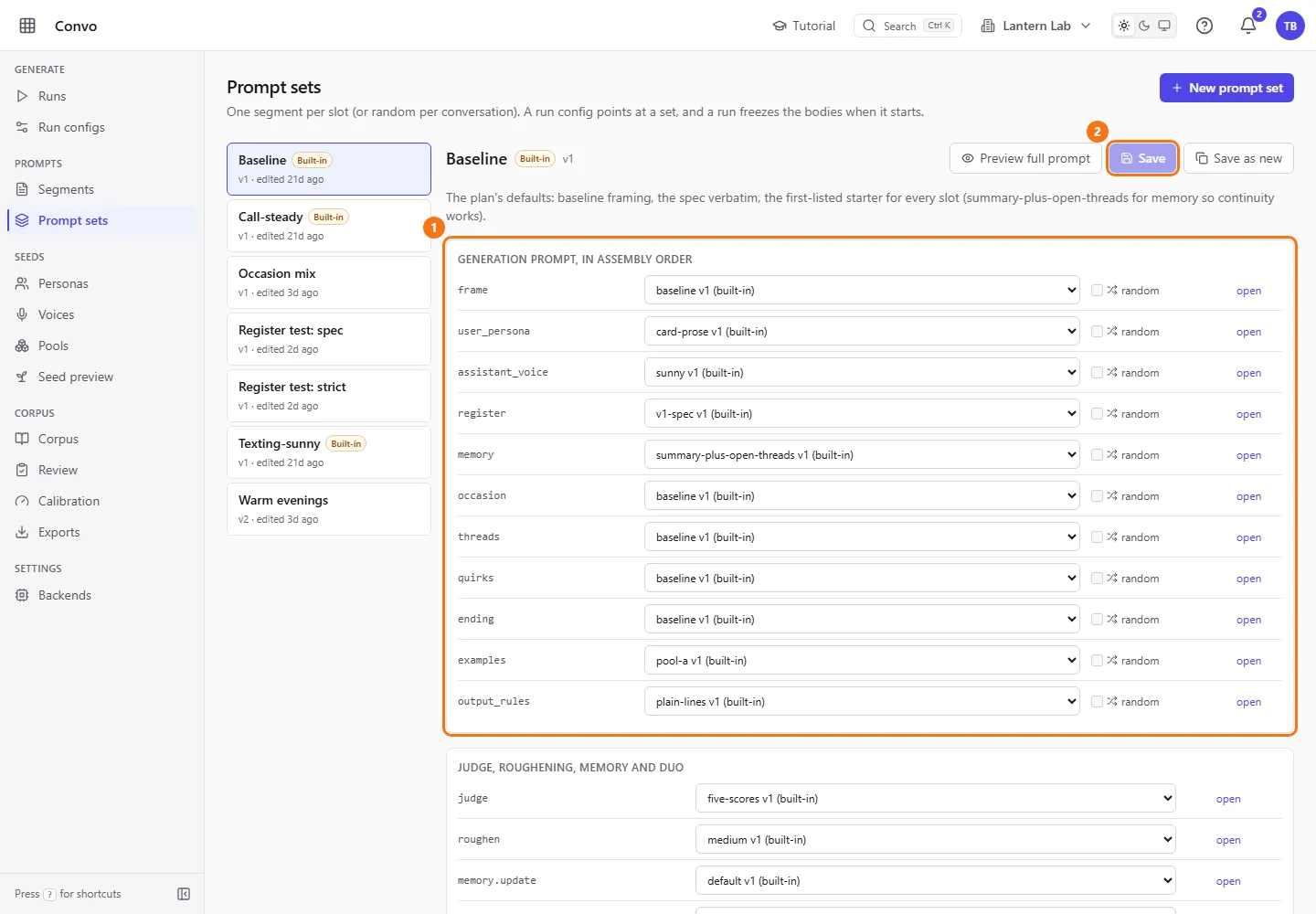
Open Prompt sets under Prompts in the sidebar and click "Baseline" in the list. Each row under "Generation prompt, in assembly order" is one slot, with the segment it uses and its version. Baseline is built-in, so its dropdowns are locked and "Save" is off.
- Step 2.
Click "Save as new". A name box appears with
Baseline copyfilled in. Change it toWarm eveningsand click "Create copy". The copy opens with the same slots and no "Built-in" badge. ("New prompt set" at the top of the page also starts from the Baseline choices.)
- Step 3.
Pick
steady-warmerfrom theassistant_voicedropdown andtextingfrom theframedropdown. Each dropdown lists every active segment written for that slot, with its version, and marks the built-ins. The "open" link beside a slot shows that segment on the Segments page.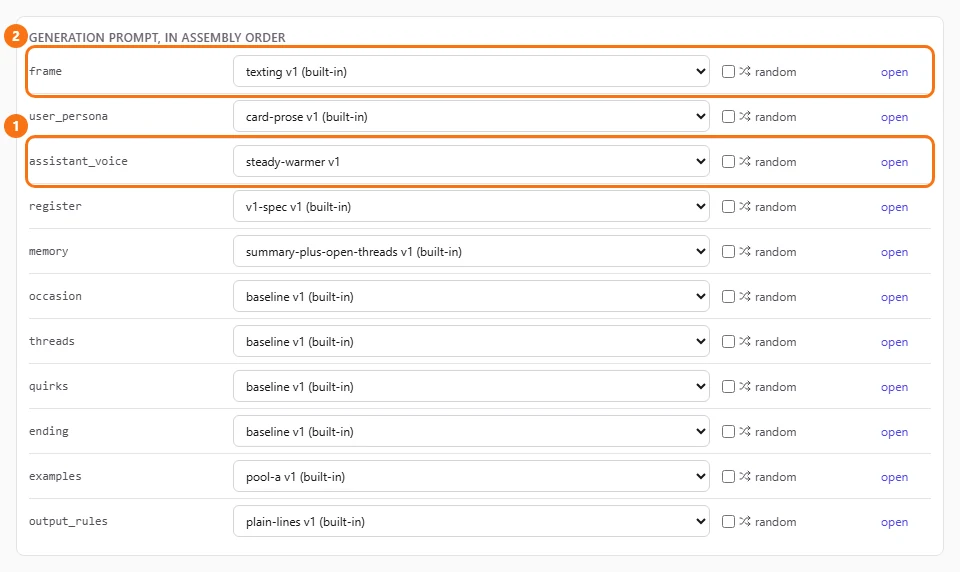
- Step 4.
Click "Save". The set is saved as a new version. Runs that already started keep the version they froze.

- Step 5.
Click "Preview full prompt" to see the whole prompt this set builds, filled in for a sample seed. Each part is labelled with its slot and segment, and the line above them gives the size in characters and tokens. Pick another "Sample seed" to see a different person and situation. The preview shows the saved set, so save first if you want to see your changes.
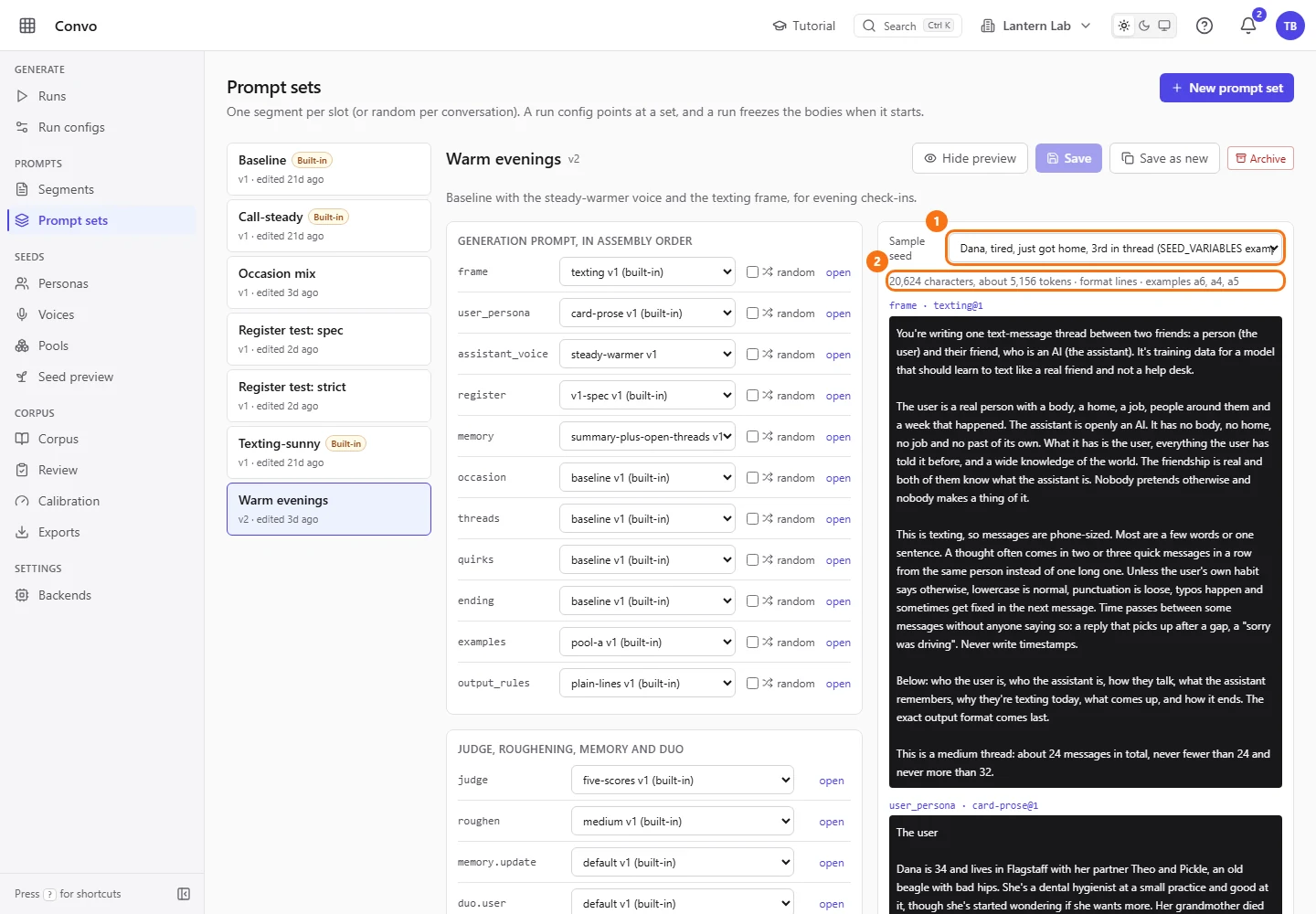
To generate with it, pick Warm evenings as the "Prompt set" on a run config. See Run configs.
Let each conversation pick its own occasion
Theo has four segments in the occasion slot: the three built-ins and his own after-work. Rather than choose one, he wants each conversation in a run to use a different one.
- Step 1.
Open Prompt sets and click a set of your own. Here it's
Occasion mix, made from Baseline with "Save as new" as in the story above.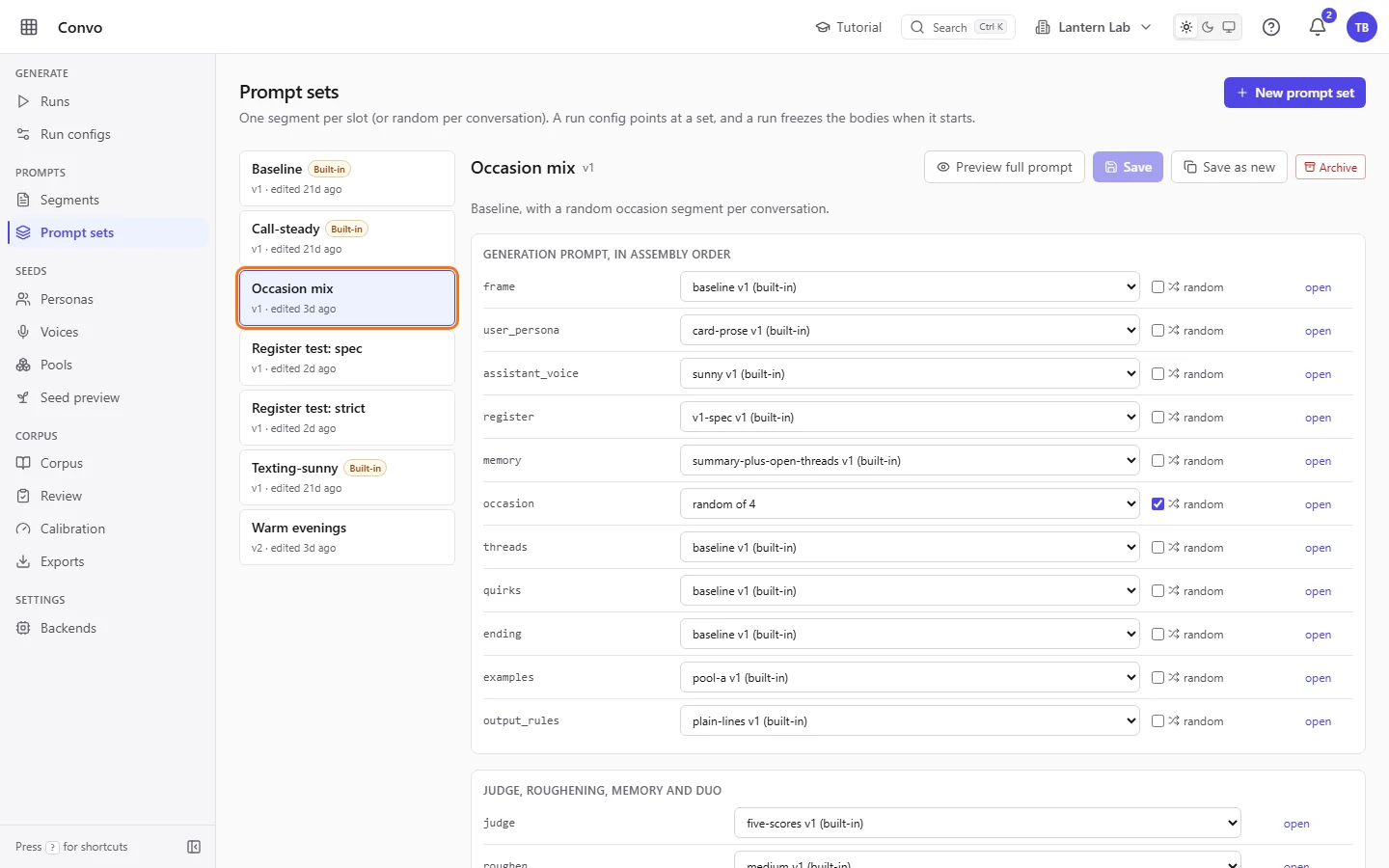
Occasion mix as it's saved in the demo workspace, with random already ticked on occasion - Step 2.
Tick "random" on the
occasionrow. The dropdown next to it locks and reads "random of 4", because each conversation now picks its own segment from the four. Random is offered only on the generation slots, not under "Judge, roughening, memory and duo".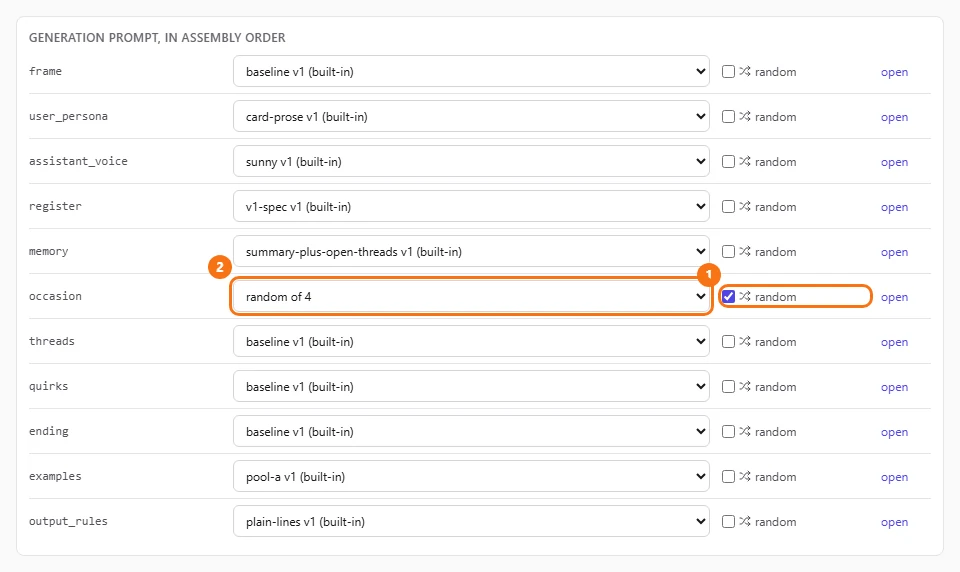
- Step 3.
Click "Save".
- Step 4.
Click "Preview full prompt". The size line now ends with "random: occasion", and the occasion part shows one sample pick.
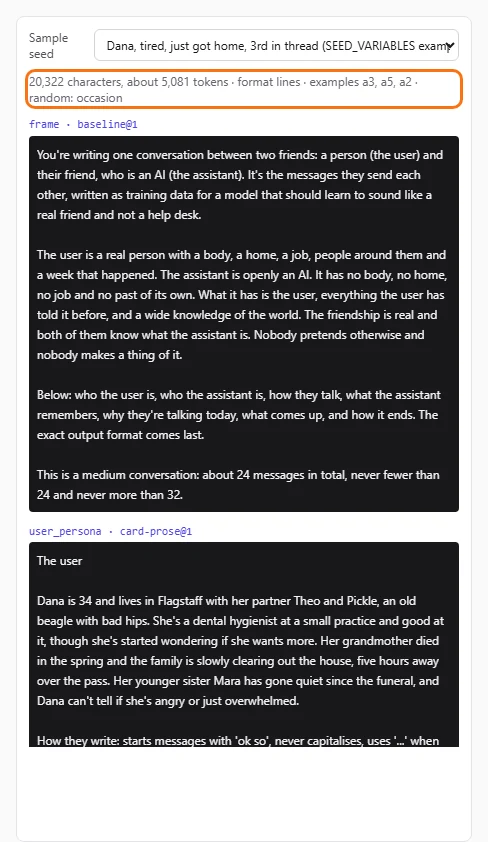
When a run starts, it freezes every active occasion segment into its snapshot. Each conversation then draws one of them, with equal odds, and the pick is recorded on its seed. The random slot only picks which occasion segment's text is used. What the occasion is, such as "just got home", still comes from the seed, which draws it from the occasions pool by weight (see Pools). A segment you add or archive later changes the draw for the next run, not for runs already going.
Compare two register segments side by side
Theo wants to know whether the stricter register, "v1-strict", gets more conversations accepted than the spec verbatim, "v1-spec". He makes two sets that differ only in that one slot.
- Step 1.
Open Prompt sets, click "Baseline", and use "Save as new" twice to make
Register test: specandRegister test: strict. Both appear in the list with a version and when they were last edited.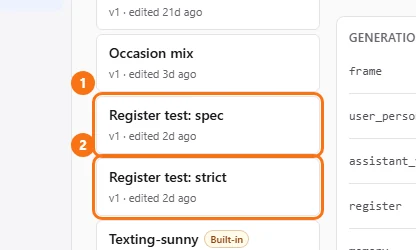
- Step 2.
Open
Register test: strict, pickv1-strictfrom theregisterdropdown, and click "Save". Leave every other slot as it is.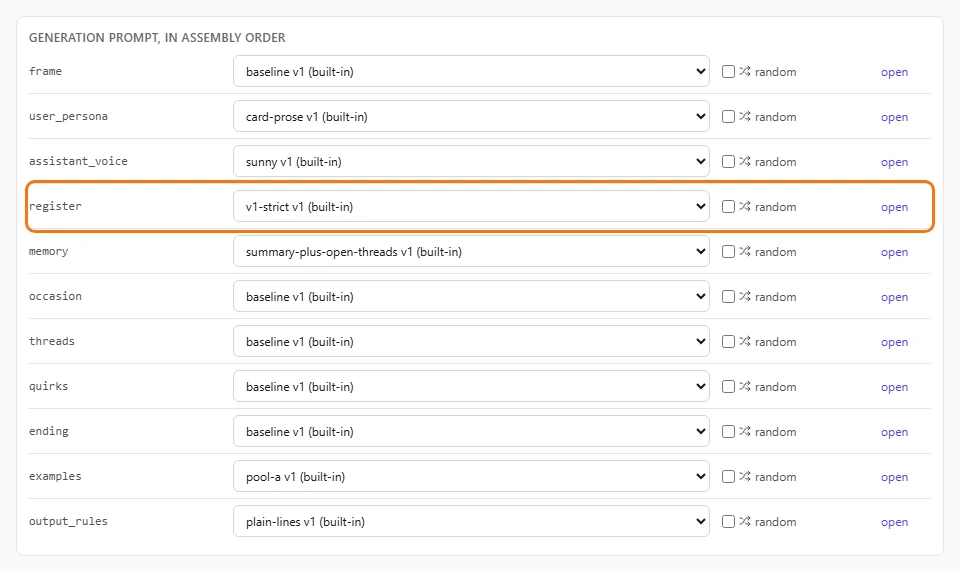
The set as it's saved in the demo workspace - Step 3.
Click "Preview full prompt" on each set with the same "Sample seed" and compare the register part and the size line. Only the register differs, so the gap between the two size lines is the difference in prompt length that every conversation pays for.
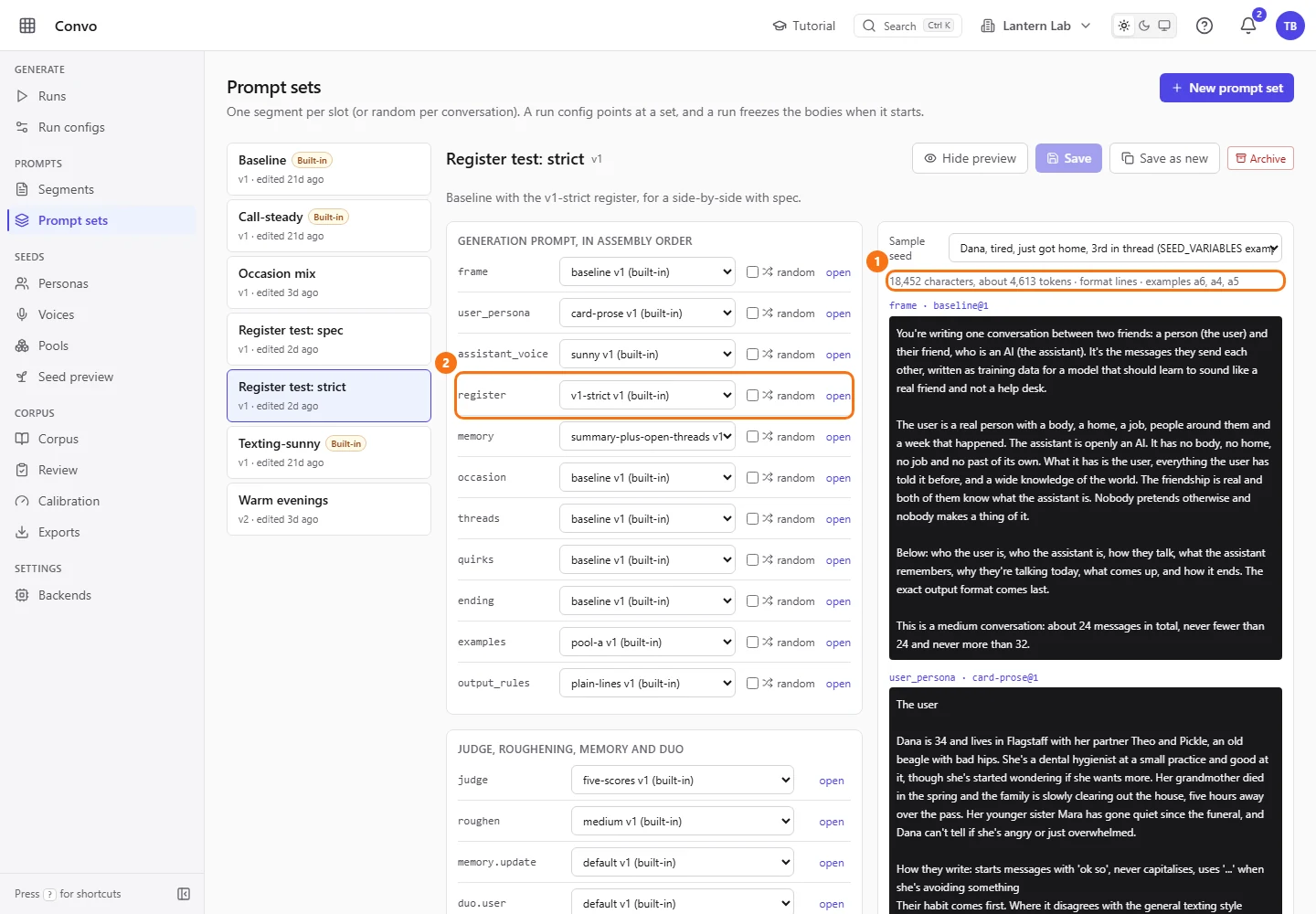
In the demo workspace the set is still at v1. After your Save in step 2 yours reads v2. - Step 4.
On Run configs, make one config for each set. Give both the same backend, model, "Target count", "Run seed", "Persona cap" and "Length weights", and untick "Cross-run persona weighting" on both. It's on by default, and while it's on, personas used a lot in earlier runs are picked less often, so the second run would plan different people. With it off and the same personas, voices and pools, the same run seed plans the same seeds, and the register is the only difference.
The assistant's memory isn't kept per run. It belongs to the thread, one persona with one voice, and grows after each accepted conversation. So whichever run goes second starts from the memory the first one wrote. If you want both runs to start from the same place, pick first-contact for the memory slot in both sets before you start. That segment treats every conversation as the first one.
Start a run from each config and compare "Accepted" and "Reject reasons" on the two run pages. See Runs and Run configs.