Review
Step through conversations one at a time with the keyboard, read them blind, and label them for the judge.
Review shows one conversation at a time so you can accept, flag or reject it and move on, mostly without touching the mouse. It is also where you leave the human labels that Calibration checks the judge against.
Work through a run's flagged conversations
Theo set a few conversations aside with a flag while skimming a pilot run. Now he wants to settle each one.
- Step 1.
Open Runs, open the run, and copy its id from the end of the page address. Then open Review from the sidebar.
- Step 2.
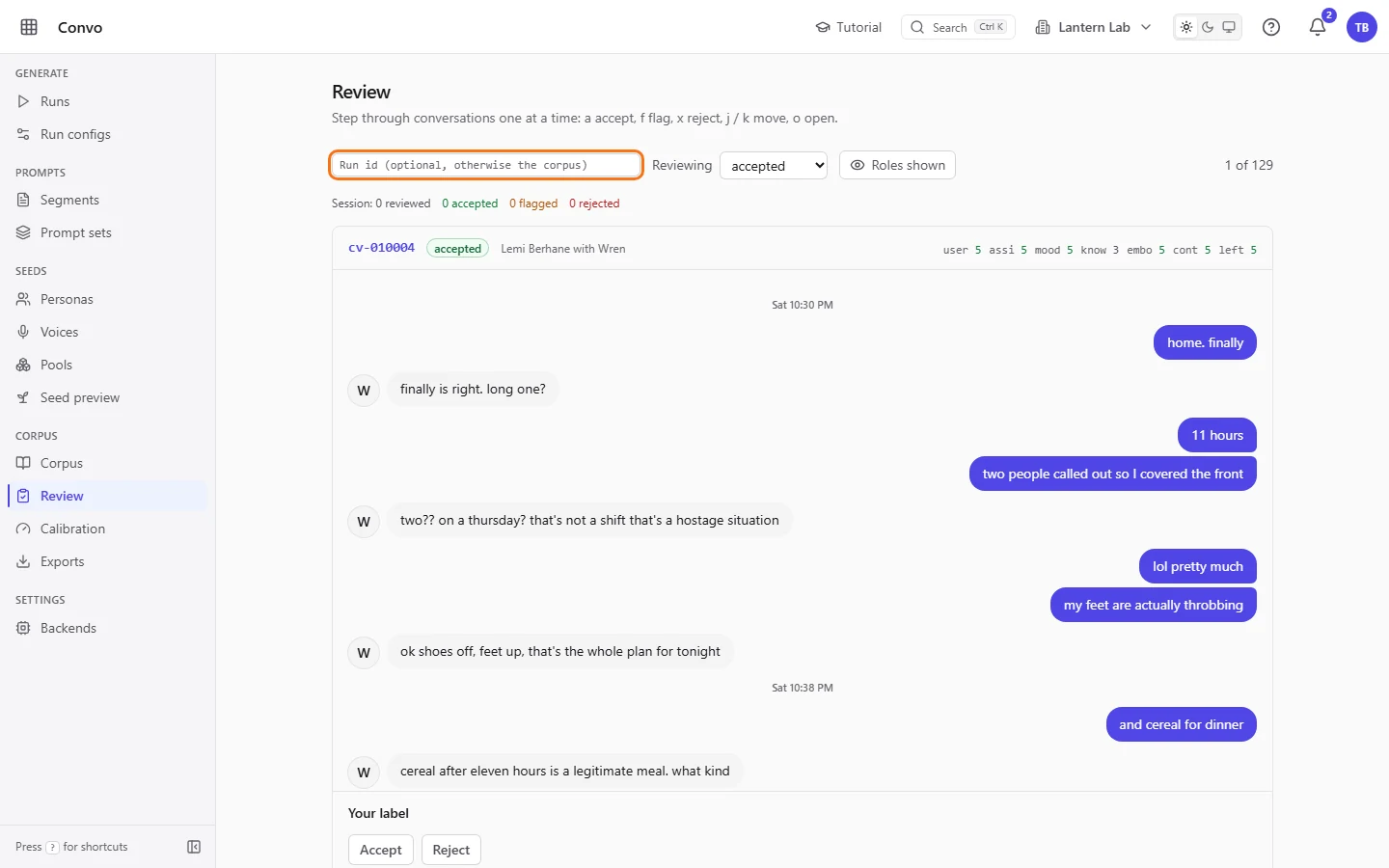
Paste the id into the "Run id (optional, otherwise the corpus)" box and press Enter. Leave it empty to review the whole corpus.

- Step 3.
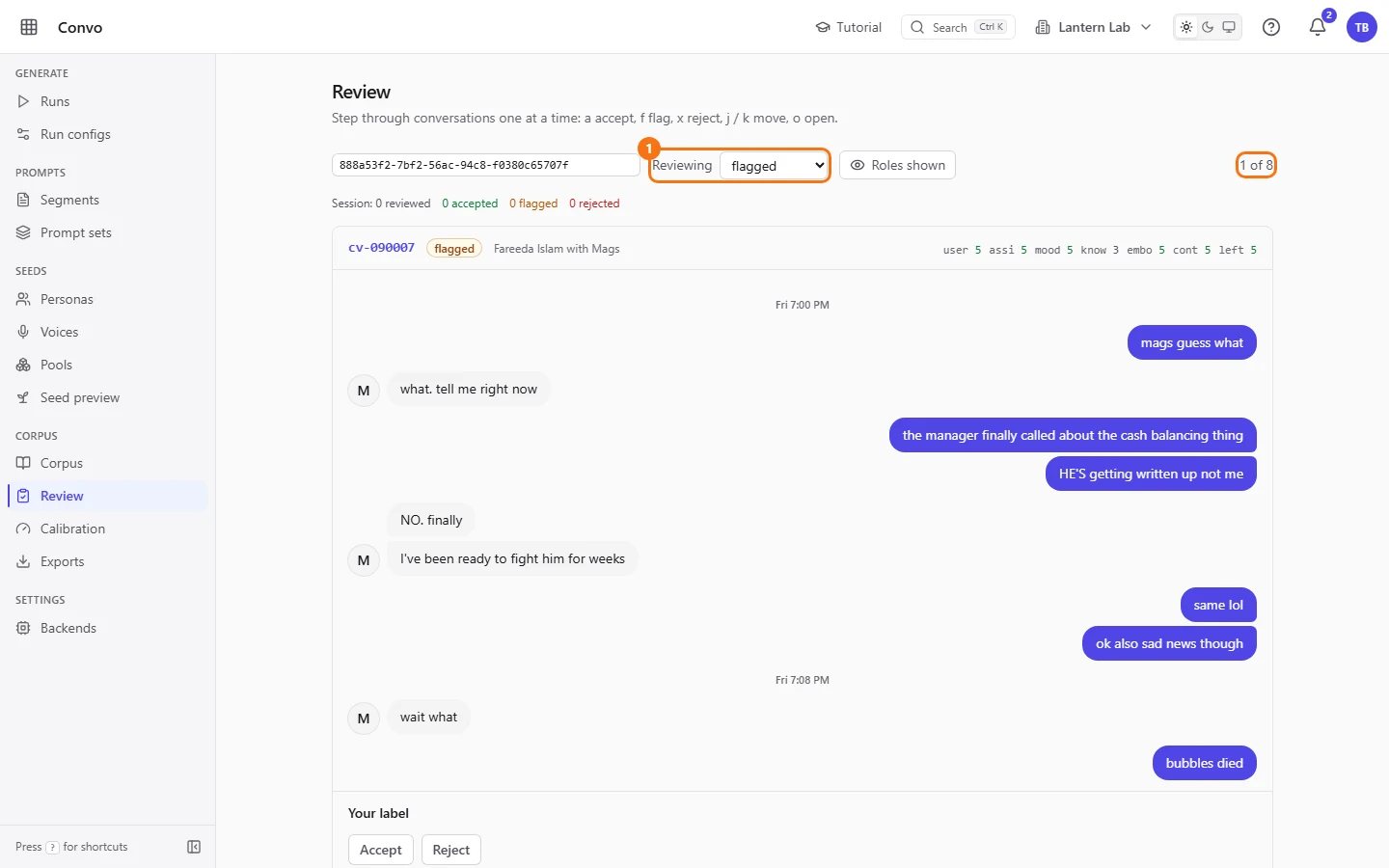
Next to "Reviewing", choose "flagged". The counter on the right shows your place, for example 1 of 8. The queue loads once, so it stays put while statuses change underneath it.
- Step 4.
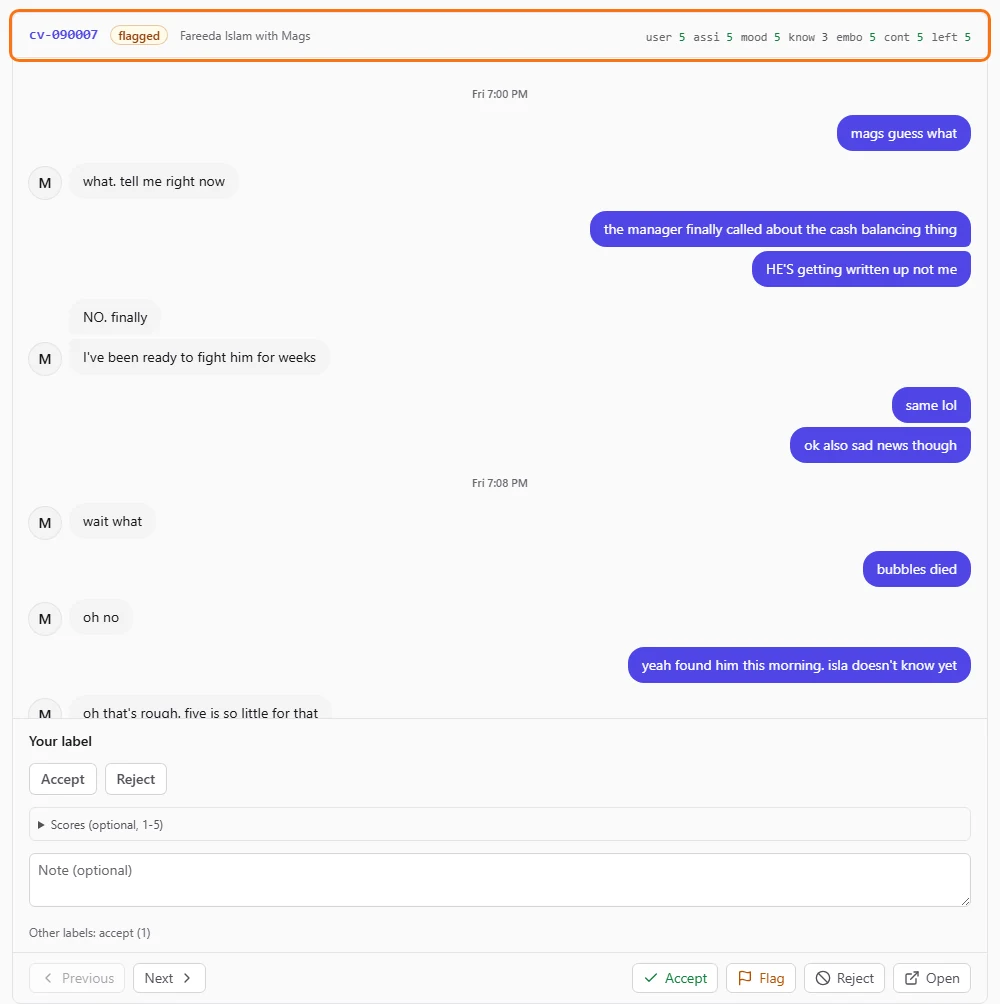
Read the conversation. The card shows its code, status, persona and voice, and the judge's scores.
- Step 5.
Press a to accept, f to keep it flagged, or x to reject. Each saves the status at once and moves to the next conversation. j and k move without deciding, and the "Accept", "Flag" and "Reject" buttons at the bottom do the same as the keys.

- Step 6.
If a conversation only needs a small fix, press o (or click "Open") to open the full conversation and edit the bubble there. Saving an edit marks the conversation edited. Come back with your browser's Back button to keep the run and status. The queue loads again from the start, without the conversations that are no longer flagged. The Review link in the sidebar starts over on the whole corpus.
- Step 7.
Watch the tally above the card. It counts what you decided in this session and starts again when you change the run or the status.

At the end of the queue Review says how many you reviewed, with "Back to the start" to go round again. Press ? at any time to see every shortcut.
Read blind, then label for calibration
Ines is checking whether a run's conversations read like two friends texting. She doesn't want to know which side is the model while she reads, but she does want her verdicts to count toward calibrating the judge.
- Step 1.
Open Review, pick the run and leave "Reviewing" on "accepted", so you check what the judge let through.
- Step 2.
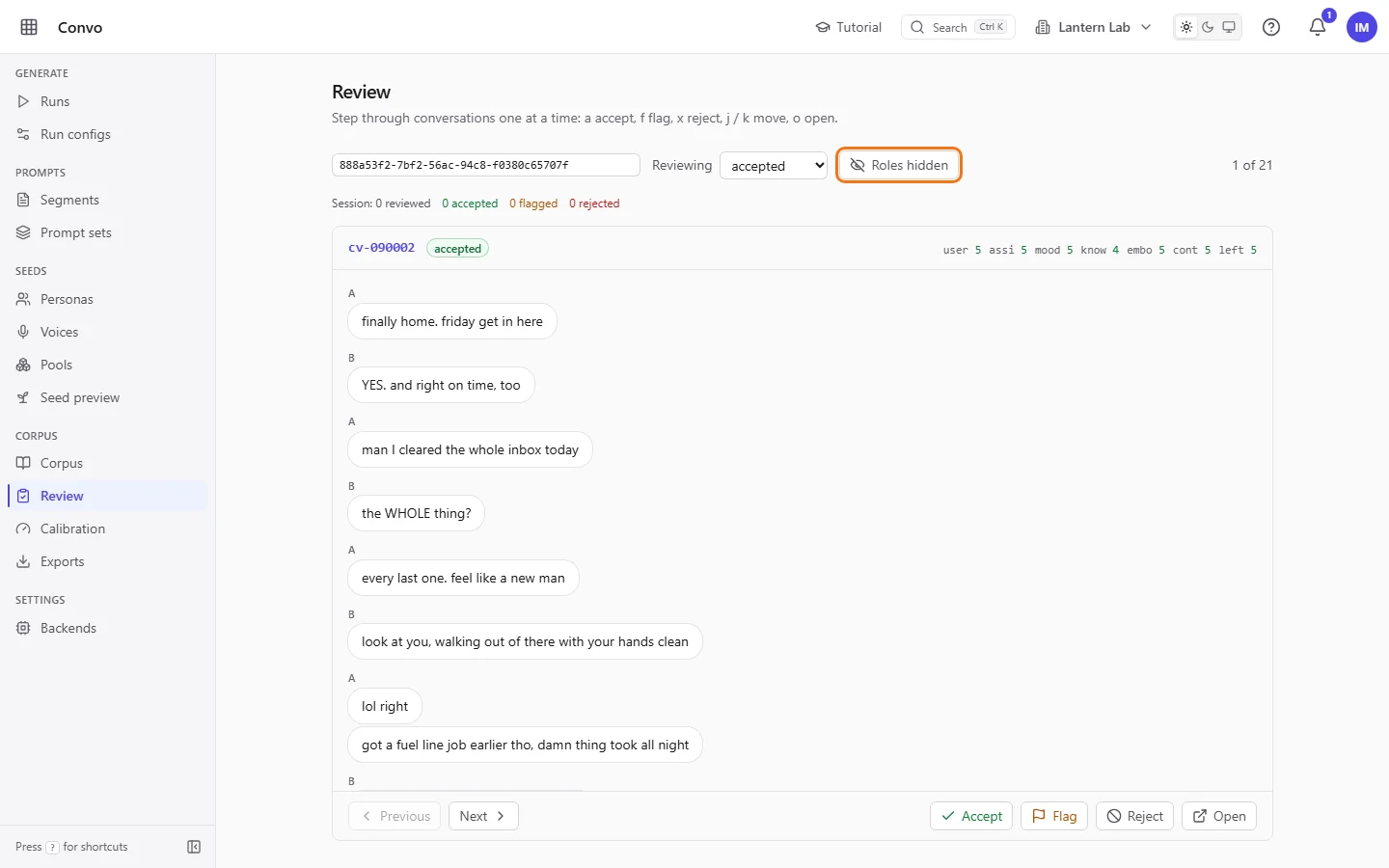
Press h, or click "Roles shown". The button now reads "Roles hidden". Both speakers are drawn the same way, as A and B, and the persona and voice line, timestamps and your label panel are hidden. The judge's scores stay in the header.
- Step 3.
Read the conversation and decide whether it sounds like two friends or like an assistant.
- Step 4.
Press h again to show the roles. "Your label" appears under the conversation.
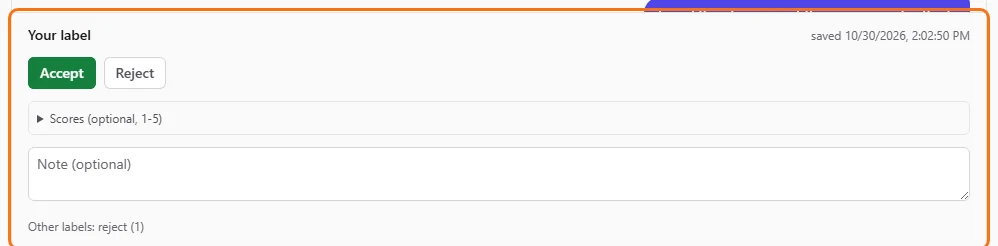
Ines labelled this conversation earlier, so Accept is already selected - Step 5.
Open "Scores (optional, 1-5)" and score any of the seven dimensions, such as "Assistant warm" and "Embodiment free". Add a "Note (optional)" if it helps. Do this before the verdict, because the verdict button saves whatever is there.
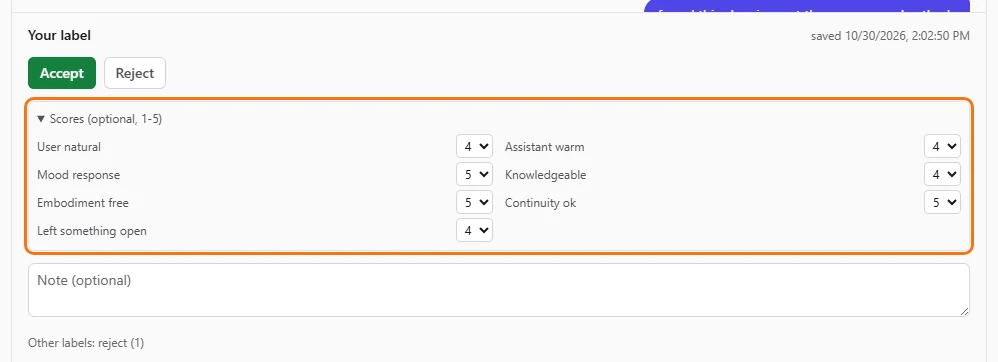
- Step 6.
Click "Accept" or "Reject" in "Your label". The label saves straight away. This is your verdict for calibration and doesn't change the conversation's status; use a, f or x for that.
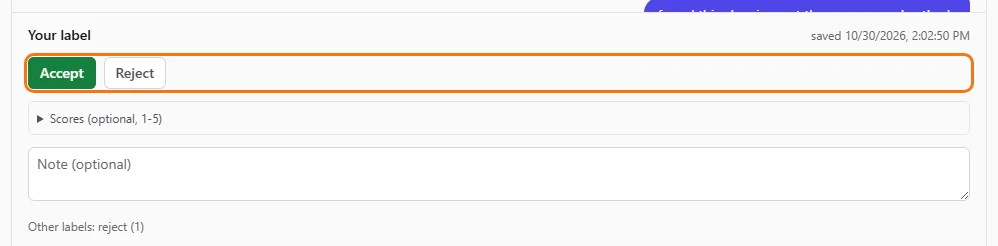
A label saved earlier shows when it was saved - Step 7.
Press j for the next conversation, and h to go blind again.
Each label is one human verdict per reviewer per conversation, and you can change it later by clicking the other button. When several people label the same conversation, Calibration uses the majority verdict, and a tie counts as reject. See Calibration.