Guided tours
Learn Convo from inside Convo
Press “Tutorial” in the top bar and the page you're on walks you through itself, one control at a time. There's a tour on every tab, so the fastest way to learn a page is usually to ask it.
It points and explains
One highlighted thing at a time
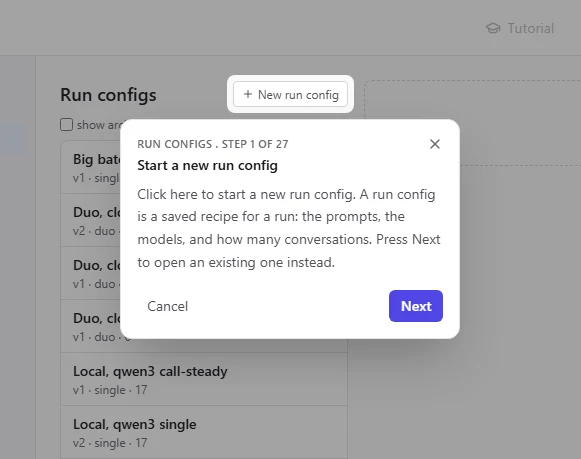
Each step puts a spotlight on a single button, field or row and shows a short card next to it: what it is, what it does, and what happens if you use it. The rest of the page dims, so you know exactly where to look.
The card counts the steps for you, and “Back” goes back one when you want to read something again.
It branches
Two ways forward, and you pick
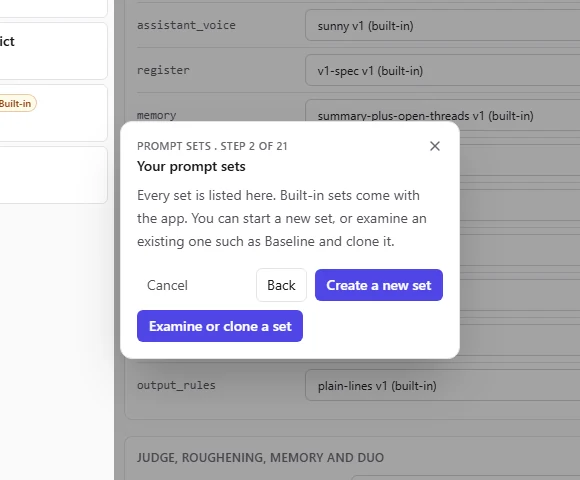
Where a page has more than one job, the tour asks which one you came for. On “Prompt sets” you can start a new set or examine Baseline and clone it. On “Exports” you can export training data or set up a blind read. Either path then walks you through the form field by field.
You do the clicking
It never acts for you
A tour highlights and explains. It doesn't press anything. When a step says "click a set to examine it", you click it, and the tour moves on when the page changes. So by the end you've done the job once yourself, with someone beside you.
A step that leads to a save or a start says plainly what it will do before you do it, including that a run costs money.
Leave whenever you like
Esc or Cancel, at any step
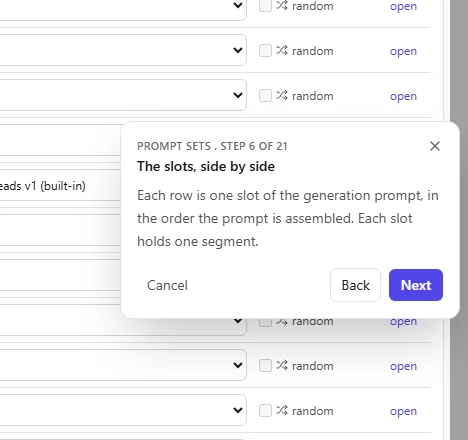
Every card has “Cancel”, and Esc ends the tour from any step. The overlay goes away, focus comes back to where it was, and the page stays exactly as you left it, open drawers included. Nothing you did during the tour is undone and nothing is saved behind your back.
Tours follow the app's light or dark theme, respect reduced motion, and announce each step to screen readers.
Coverage
A tour on every tab
The “Tutorial” button lives in the top bar. On a page without a tour it's dimmed and says so.
Generate
- RunsGuided tour
- Run configsGuided tour
Prompts
- SegmentsGuided tour
- Prompt setsGuided tour
Seeds
- PersonasGuided tour
- VoicesGuided tour
- PoolsGuided tour
- Seed previewGuided tour
Corpus
- CorpusGuided tour
- ReviewGuided tour
- CalibrationGuided tour
- ExportsGuided tour
Settings
- BackendsGuided tour
The user docs walk through the same tours step by step: Guided tutorials.