Seed preview
See exactly which personas, moods, occasions and lengths a run would plan, before you spend anything on model calls.
A seed is everything sampled for one conversation before any model call: persona, voice, mood, occasion, threads, quirks, ending, length band and time. Convo works each seed out from the run seed and the conversation's index, so the variety in a corpus comes from the seeds, not from the model's temperature. Seed preview plans seeds without calling a model, so it costs nothing.
Check a run's persona spread before spending money
You're about to start a 50-conversation run and want to make sure it won't lean on a handful of personas or open the same way twice.
- Step 1.
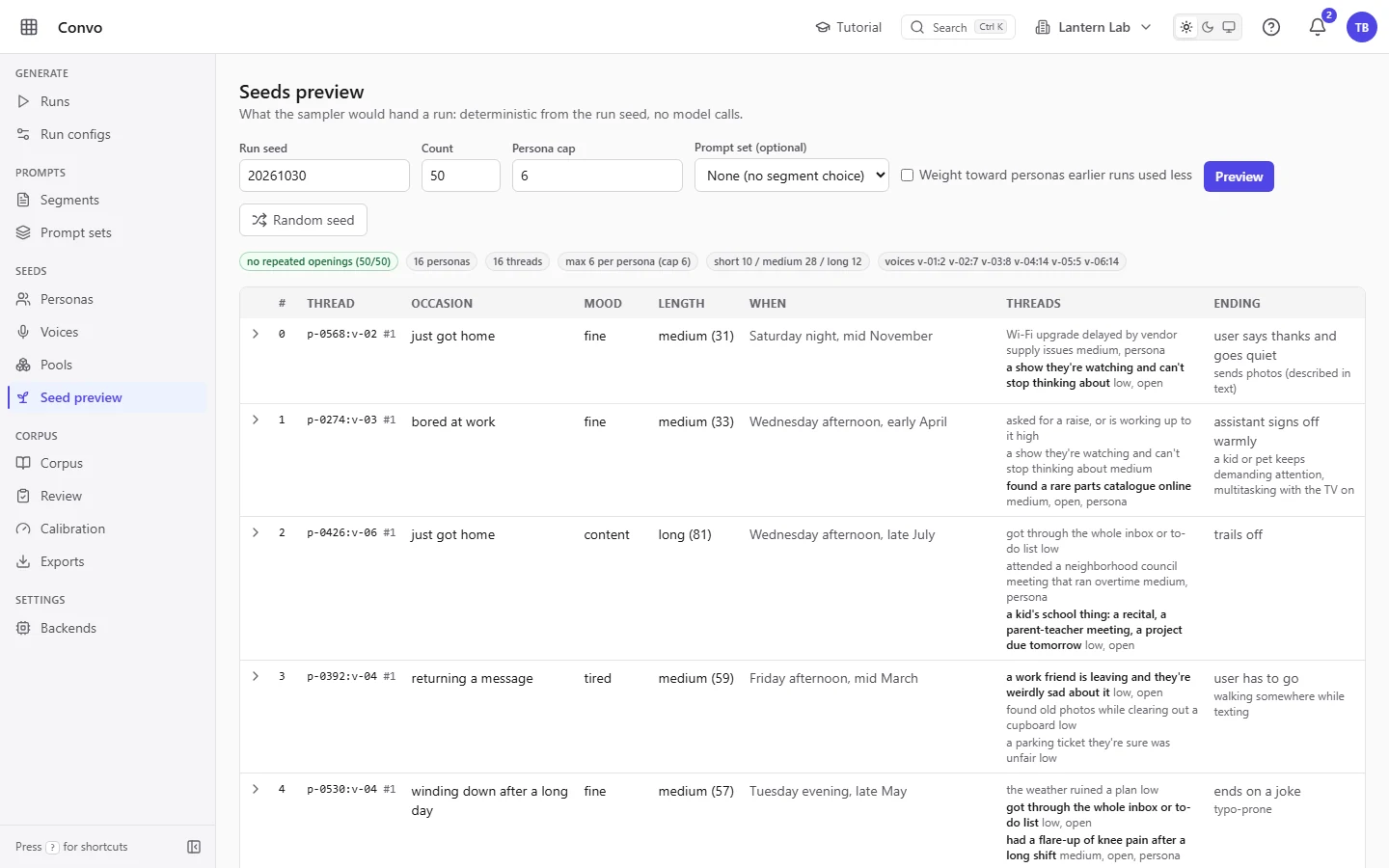
Open Seed preview under Seeds. It plans 50 seeds for the default run seed as soon as it opens.
- Step 2.
Set "Run seed", "Count" and "Persona cap" to the values in your run config, then click "Preview". "Count" goes up to 500.

- Step 3.
Read the badges above the table. The first one is green when no two seeds share an opening (the occasion, mood and first thread together) and red with a count when some do. The others give the number of personas and threads, the most seeds any one persona got next to the cap, the short, medium and long split, and how many seeds each voice got.

- Step 4.
Scan the table. Each row is one planned conversation, in index order. "Thread" shows the persona and voice, such as
p-0412:v-02, and which conversation this is in that friendship. Rows with a repeated opening are tinted red.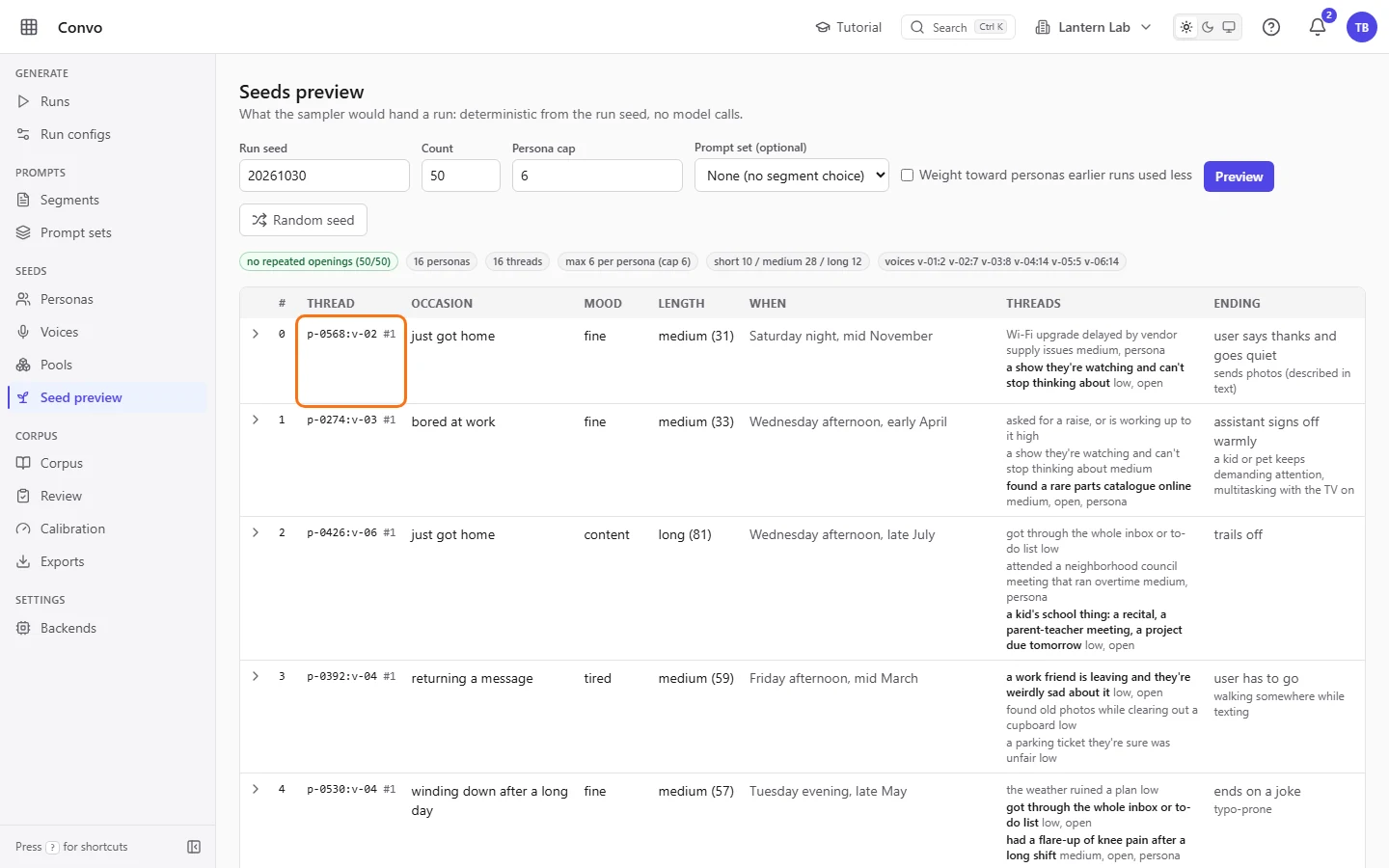
If the count needs more conversations than the personas times the cap allow, convo raises the cap and an amber badge says so. When the spread looks right, use the same run seed, count and persona cap in your run config.
Plan seeds you can replay for a comparison
You want to compare two prompt sets on exactly the same conversations, so the only difference between the runs is the prompt.
- Step 1.
Untick "Weight toward personas earlier runs used less". With it ticked, personas that earlier runs used less are picked more often, so the seeds change as you run more. With it off, the seeds depend only on the run seed and the personas, voices and pools.

- Step 2.
Pick one of the prompt sets in "Prompt set (optional)" and click "Preview". The seeds stay the same; the prompt set only adds which segments and examples each seed would get.

- Step 3.
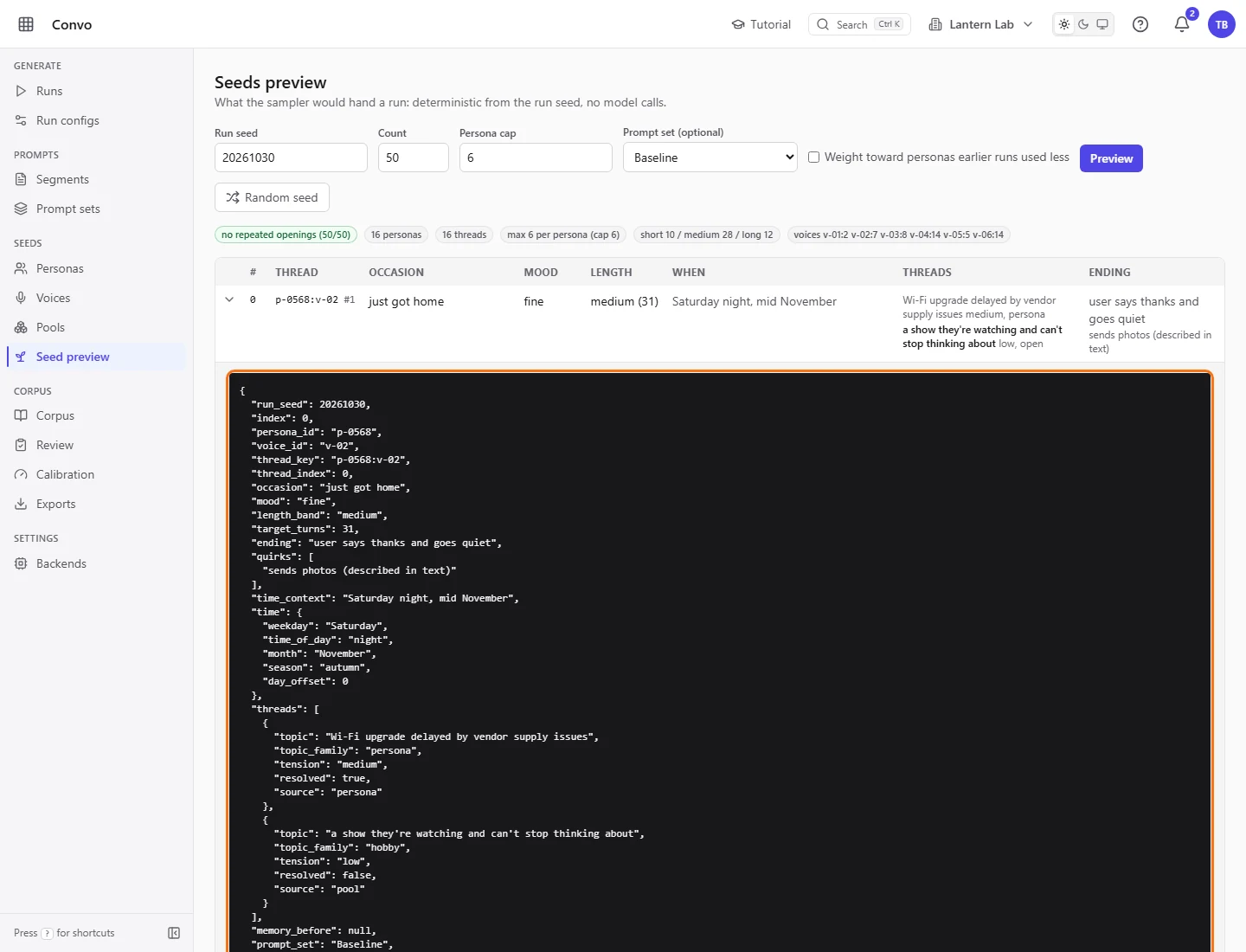
Click a row to see its full seed as JSON, including the time details, the source of each thread and the chosen segments. Click it again to close it. "memory_before" is always null here, because memory only exists once a run generates.
- Step 4.
In each of the two run configs, untick "Cross-run persona weighting" and set the same "Run seed".
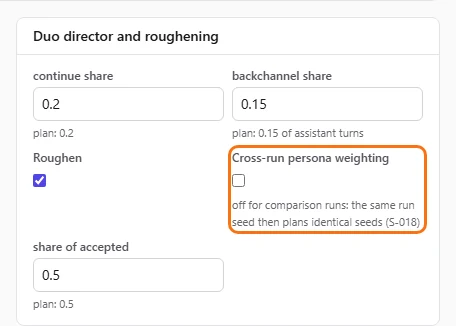
Both runs now plan identical seeds, as long as nobody changes the personas, voices or pools in between. "Random seed" picks a fresh run seed and previews it, if you want to see a different draw.