Getting started
Go from signing in to your first exported conversations using the defaults convo ships with.
Convo ships with what a first run needs: two backends, the built-in Baseline prompt set, a pool of reviewed personas and voices, and run config defaults for the models and the judge. You can get your first conversations without writing a prompt or picking a model. These two stories take you from signing in to a JSONL file.
Generate your first conversations
You've just been given an account and want to see what convo produces before you change anything.
- Step 1.
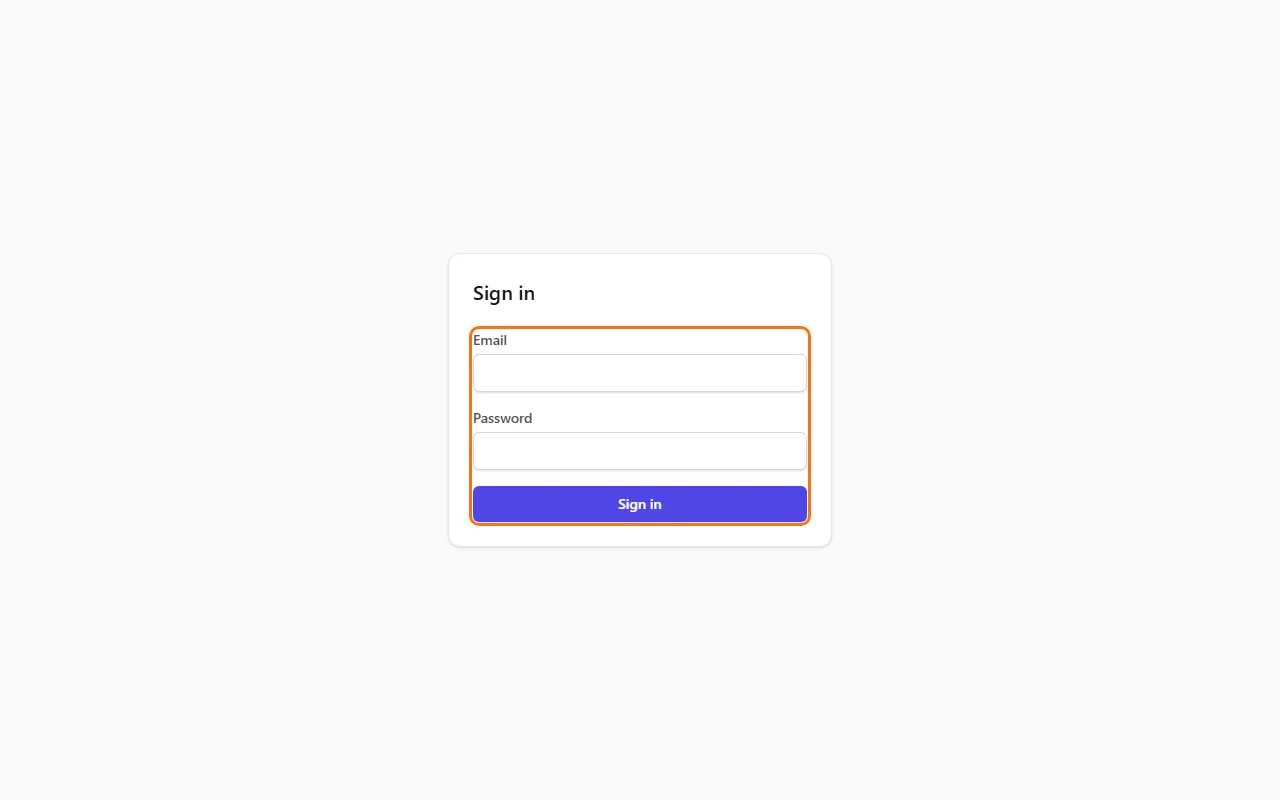
Click "Registered users" at the top of this site. Type your "Email" and "Password" and click "Sign in". Convo opens on Runs.
- Step 2.
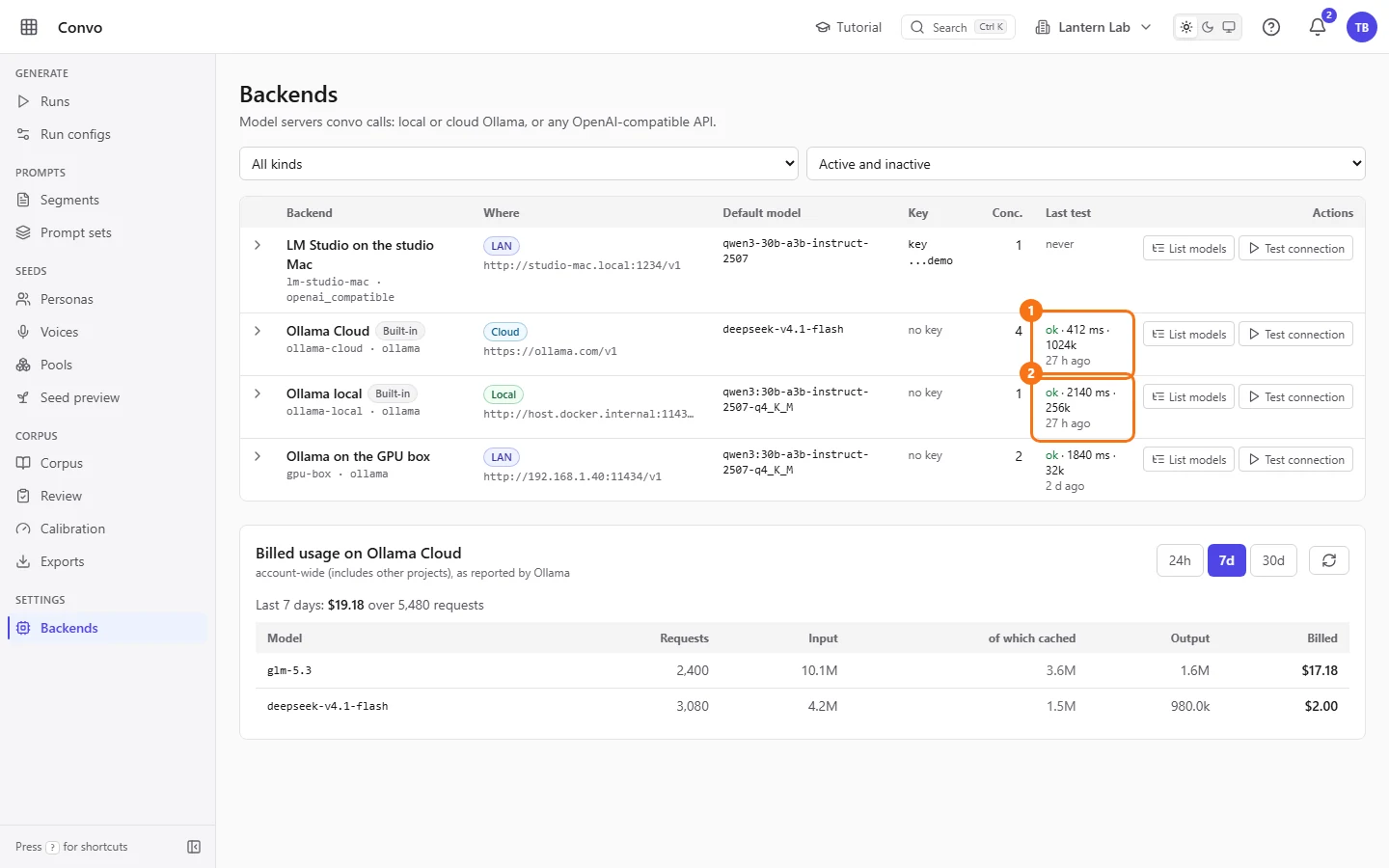
Open Backends under Settings. "Ollama Cloud" and "Ollama local" are already there. Check that "Last test" says ok on the one you'll use. If it says never, open the row with its arrow and click "Test connection".
- Step 3.
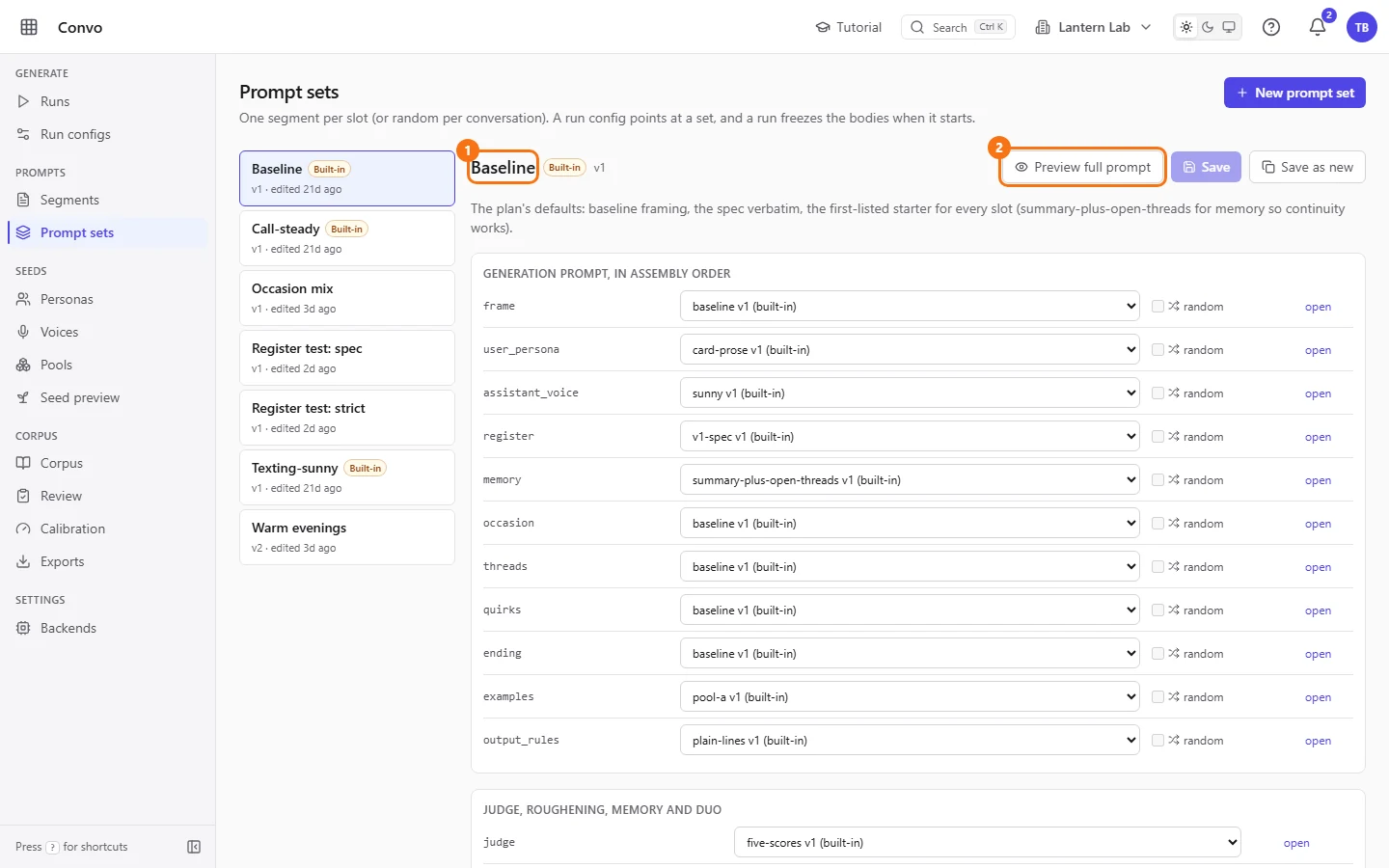
Open Prompt sets and click "Baseline". It picks a segment for every slot of the prompt, and "Preview full prompt" shows the prompt one conversation would get. Built-in sets can't be overwritten, so it's always there to start from. See Prompt sets when you want your own.
- Step 4.
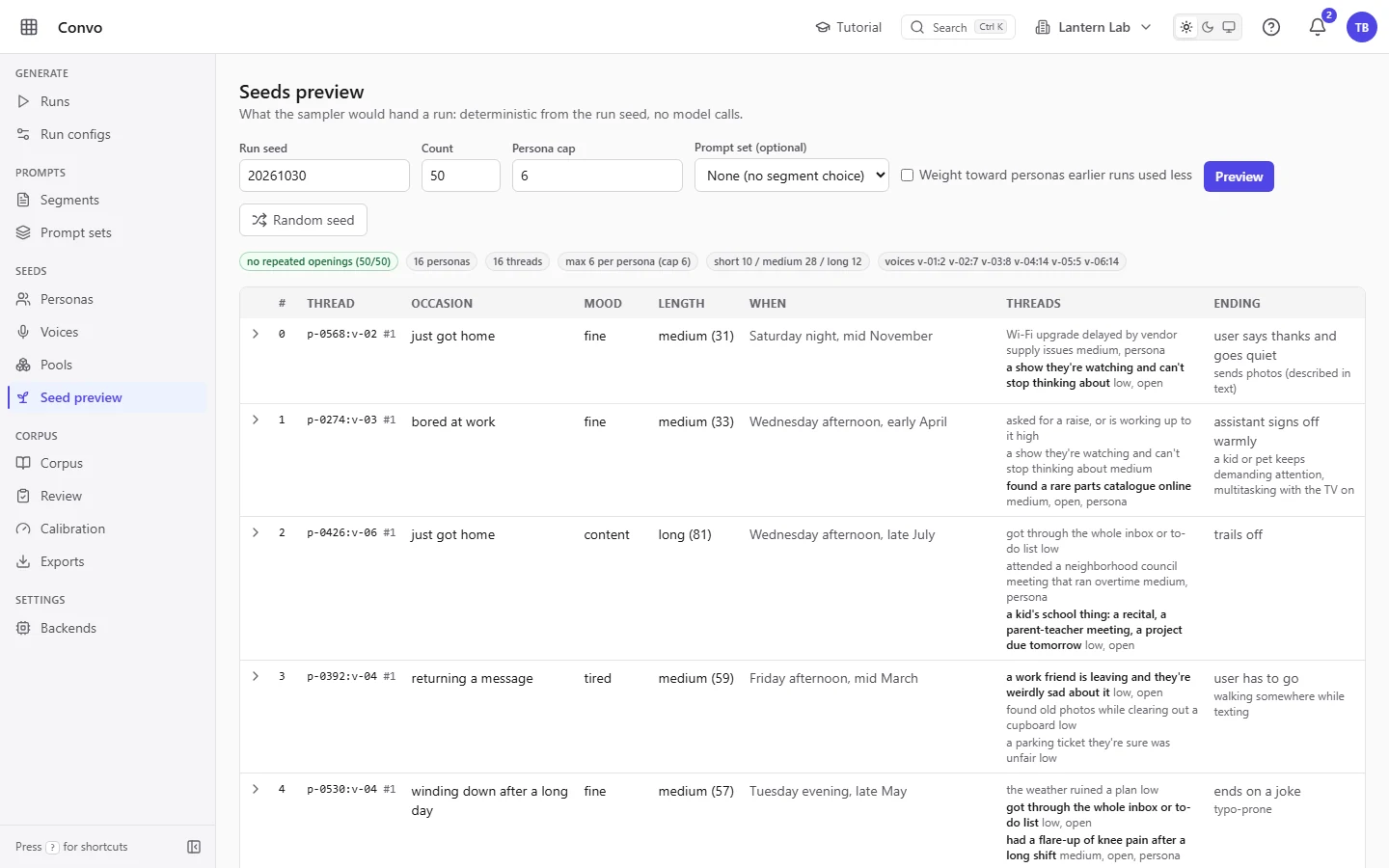
Open Seed preview to see the conversations a run would plan: who's talking, the mood, the occasion and the length. It calls no model and costs nothing. See Seed preview.
- Step 5.
Open Run configs and click "New run config". On Ollama Cloud the form already picks
glm-5.3to write the conversations anddeepseek-v4.1-flashto judge them. Type a "Name", pick "Baseline" under "Prompt set", set "Target count" to something small like10, and click "Save".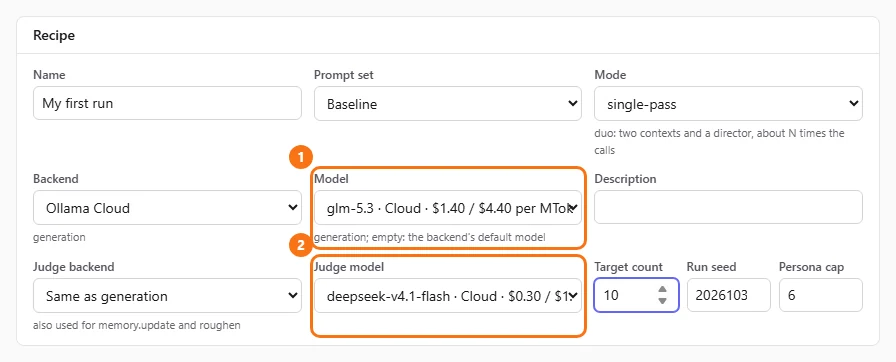
- Step 6.
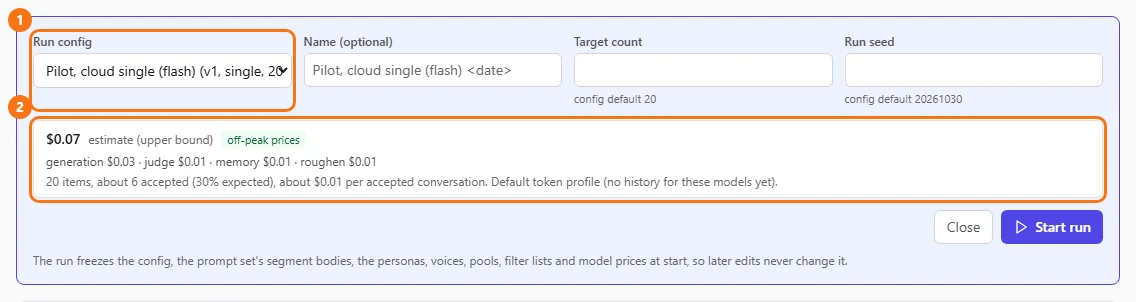
Open Runs, click "Start run" and pick your config. Check the cost estimate, then click "Start run". See Runs for what the estimate covers.
- Step 7.
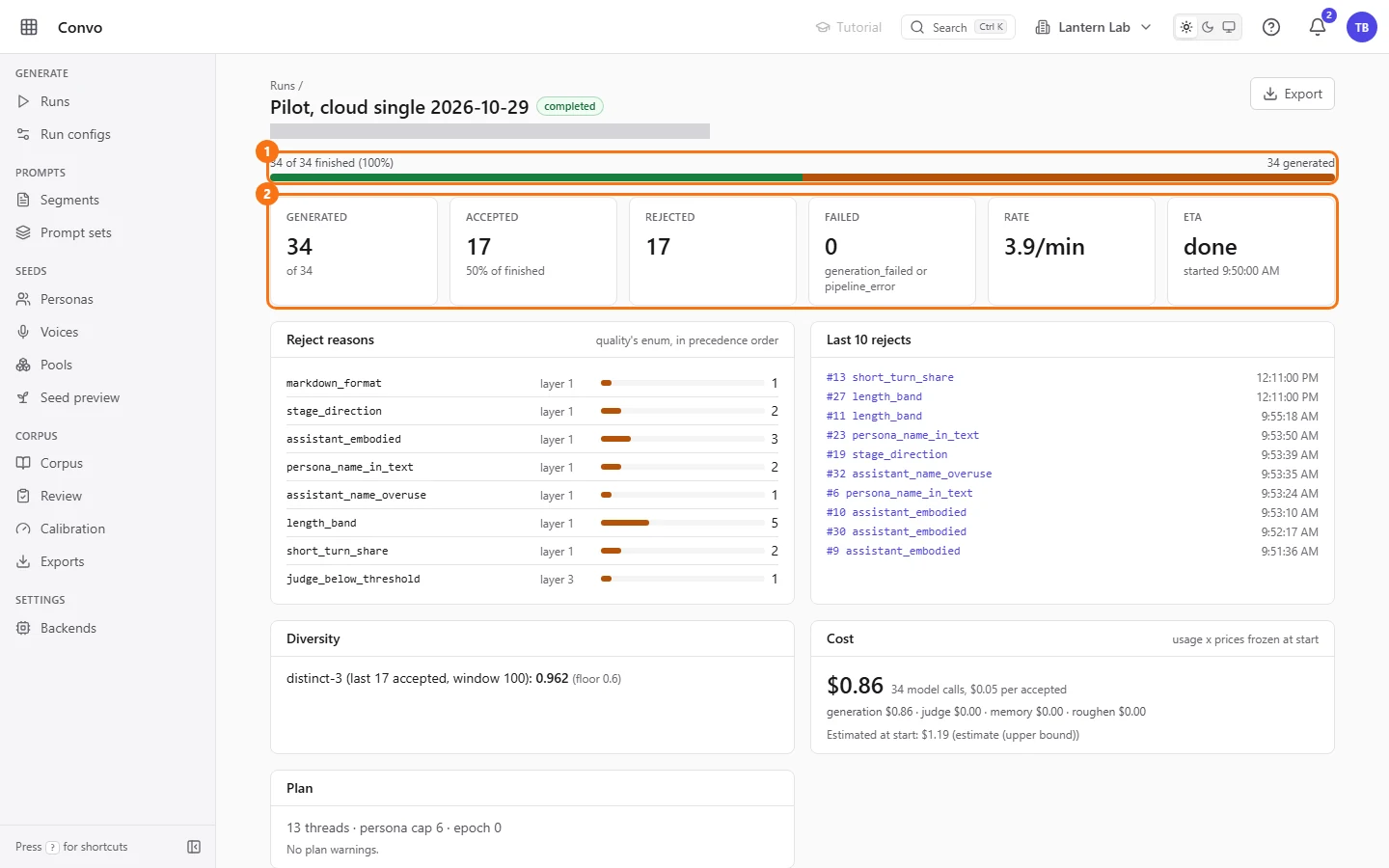
The run page opens and counts conversations as they're accepted or rejected. When it's done, "Reject reasons" tells you why any were turned away.
Review and export them
Your first run has finished. You want to read what came out, fix anything odd, and hand the good conversations to a trainer.
- Step 1.
On the run page, click "Browse conversations" to open the run's conversations on Corpus.

- Step 2.
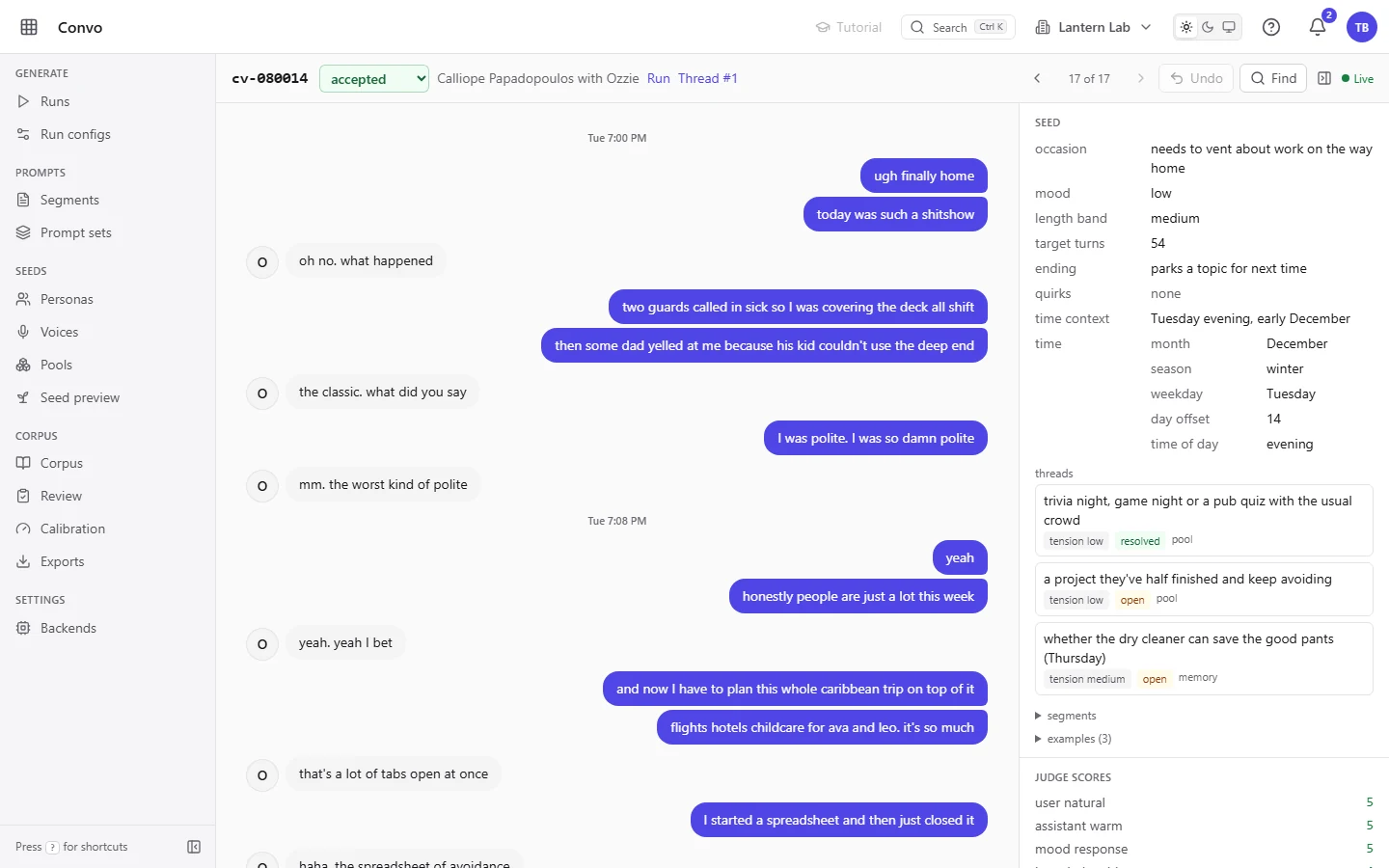
Open a conversation to read it. Click a bubble to fix a line in place. See Corpus for searching and fixing in bulk.
- Step 3.
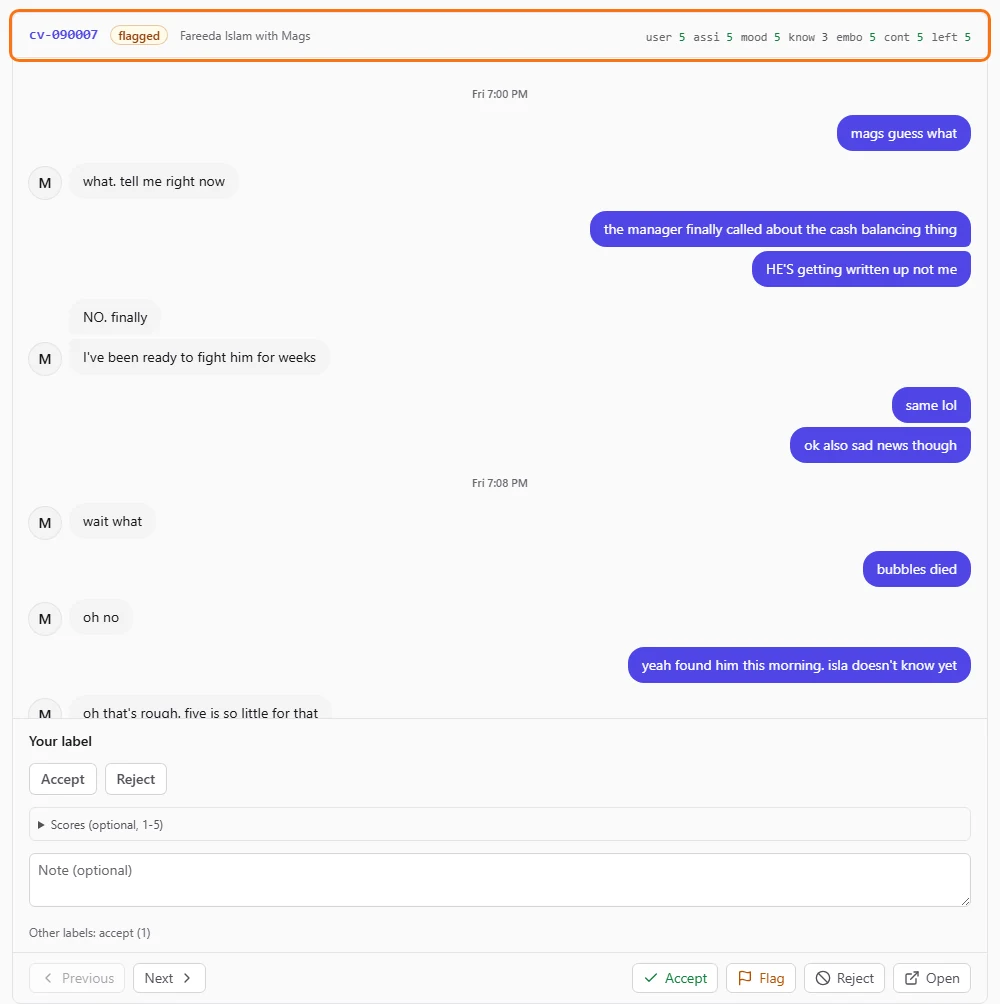
To decide on each conversation in turn, open Review and step through them with the keyboard. See Review.
- Step 4.
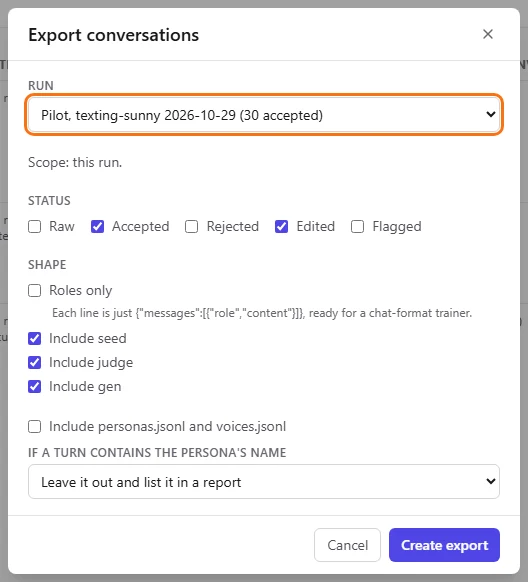
Open Exports, click "New export", pick your run under "Run" and leave "Accepted" and "Edited" ticked. Click "Create export", and click "Download" when the file is ready.
You now have a JSONL file of accepted conversations. From here, change one thing at a time: the length mix, a cheaper model, or your own prompt set.