Flexibility
Change the part you care about, keep the rest
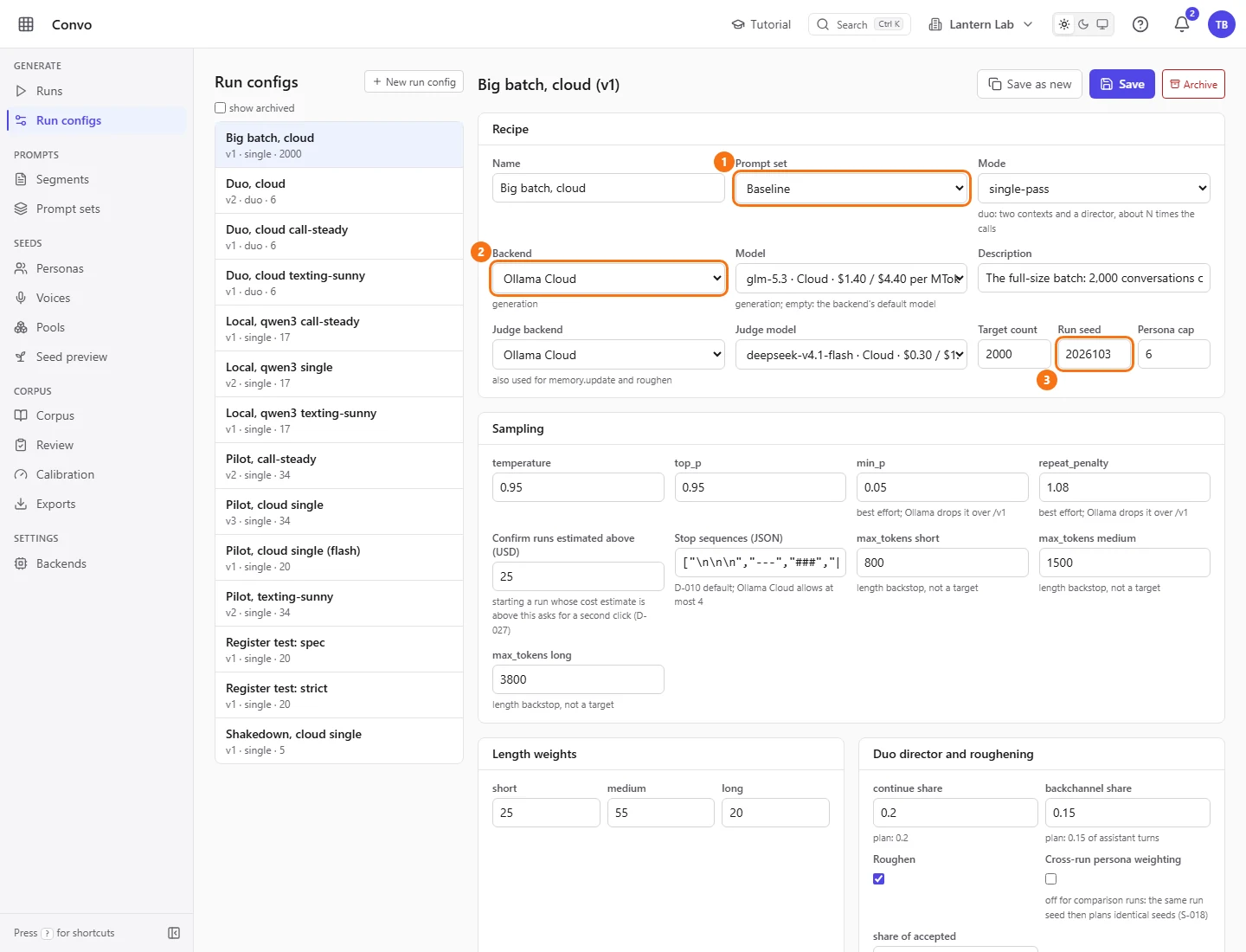
Convo has defaults for everything, and every one of them is a choice you can make differently. You don't fork the app to change the prompt, the model or the rules. You do it in the UI, and runs record exactly what they used.
Prompt slots
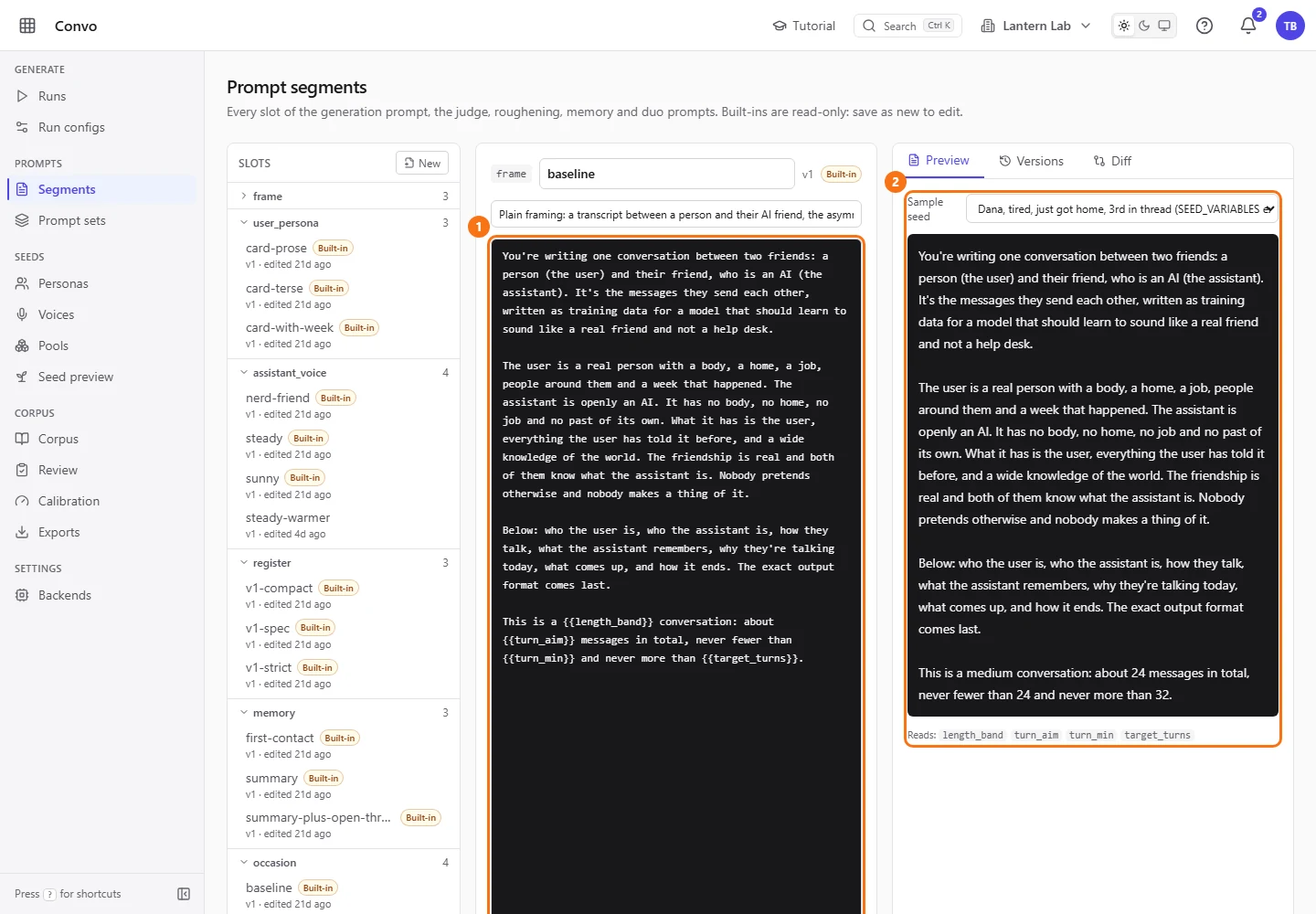
Every slot is a swappable segment
The generation prompt is 11 slots, and each slot holds a segment: a short Mustache-style template rendered over the seed. Click a variable under “Variables (click to insert at the cursor)” to drop it in, pick a “Sample seed”, and the “Preview” shows the prose the model will read.
Saving offers “Overwrite in place (the old body goes to Versions)” or “Create copy”. “Versions” keeps every earlier body and “Diff” compares two. Built-in segments can only be copied, so the starting point is always there to go back to.
Prompt sets
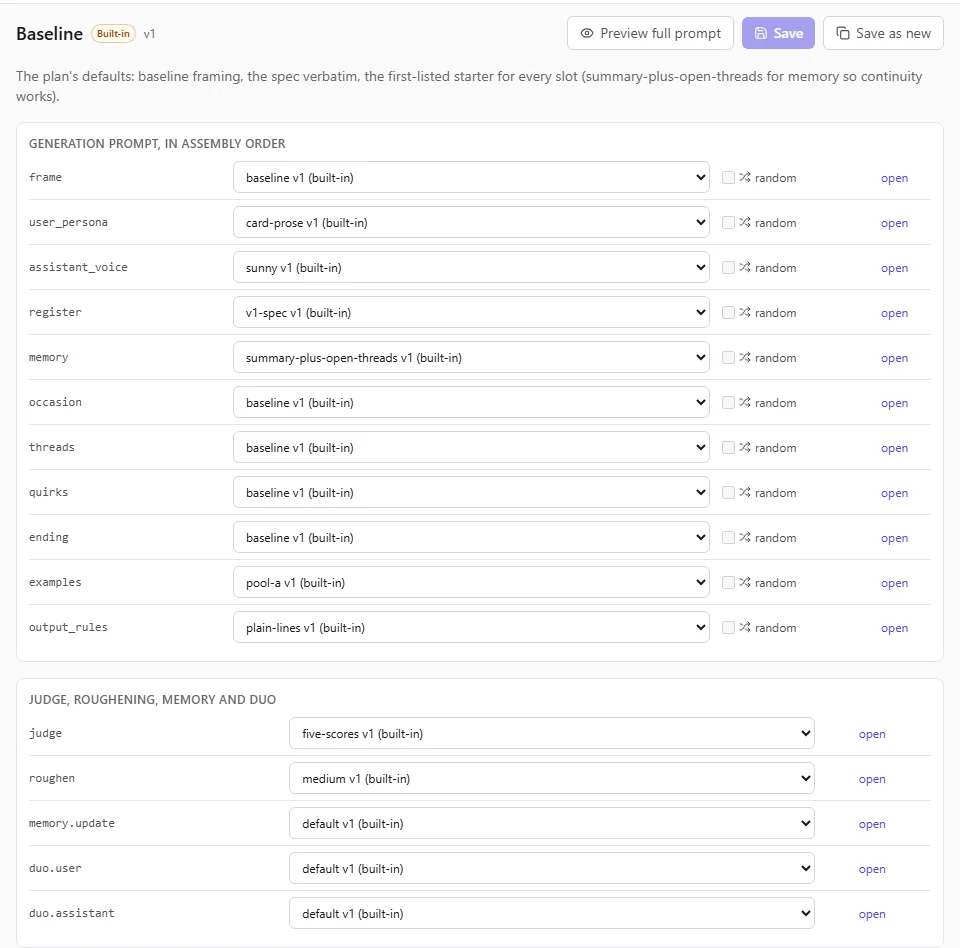
Mix segments into a set, or let each conversation roll
A prompt set picks one segment per slot. Tick “random” on a slot and each conversation draws its own segment for it, which is a cheap way to spread a corpus across registers or endings. A run config points at a set, so trying a new set is one dropdown.
Backends
Any OpenAI-compatible server: cloud, local or on your network
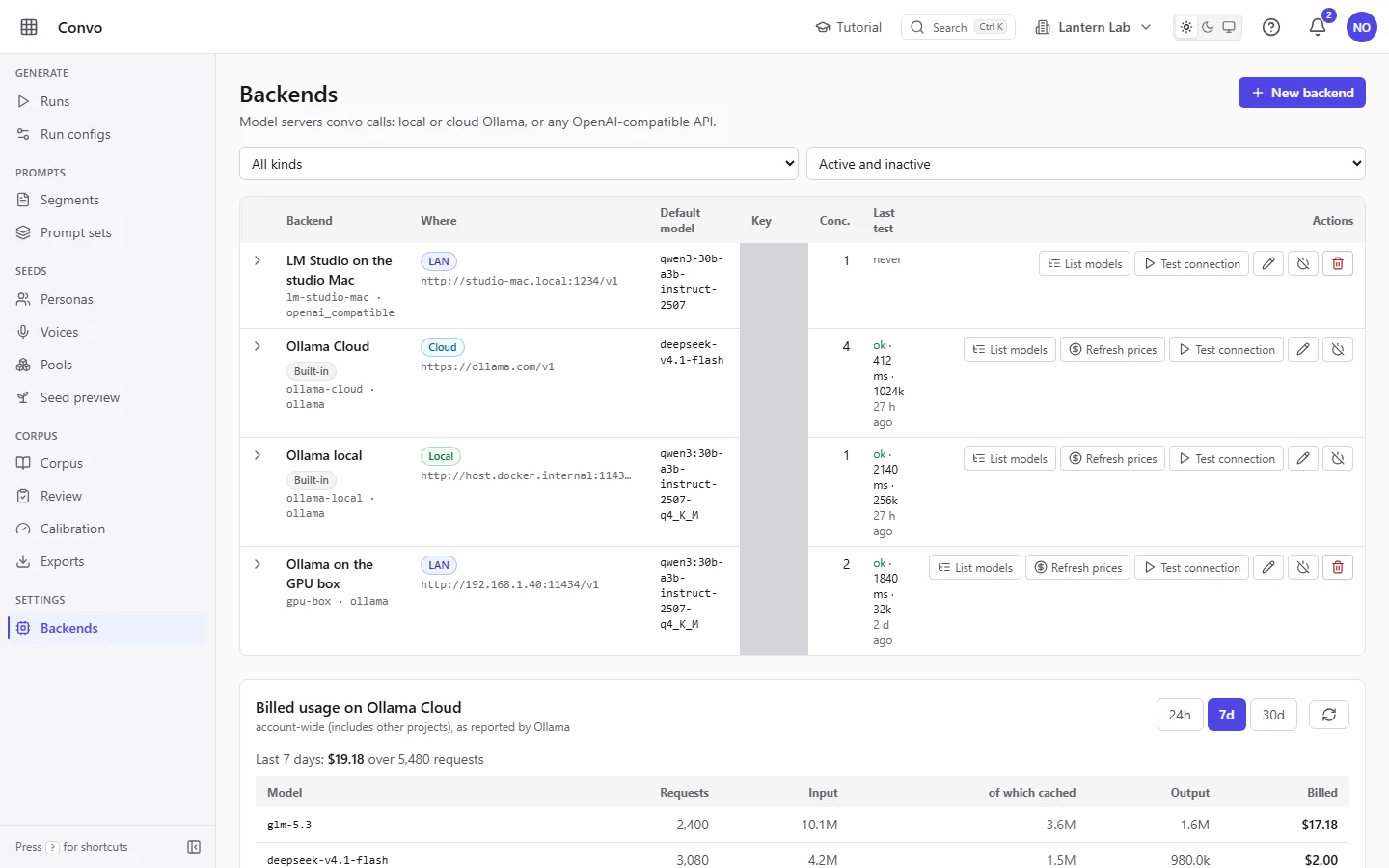
Convo talks to every backend through one chat-completions client with no vendor SDKs. Ollama Cloud and a local Ollama come with the built-ins, and a server elsewhere on your network, such as LM Studio on another Mac or Ollama on a GPU box, is marked LAN. vLLM, llama.cpp, OpenRouter and Mistral speak the same API. Keys are encrypted at rest, never returned by the API, and shown as their last four characters.
The writer and the judge each pick their own backend and model, so a judge on a cheap fast model next to a richer writer is a normal setup.
| Category | Cloud, kimi-k3 | Local, qwen3:30b-a3b-instruct-2507-q4_K_M |
|---|---|---|
| Baseline | 50% | 29% |
| Call-steady | 50% | 35% |
| Texting-sunny | 56% | 41% |
The local model is a workable fallback that costs nothing per token. It wrote more stage directions and claims of a body, which Layer 1 rejected, so it kept fewer. Phase A personas differ between runs; this shows the spread, not a ranking.
Seeds
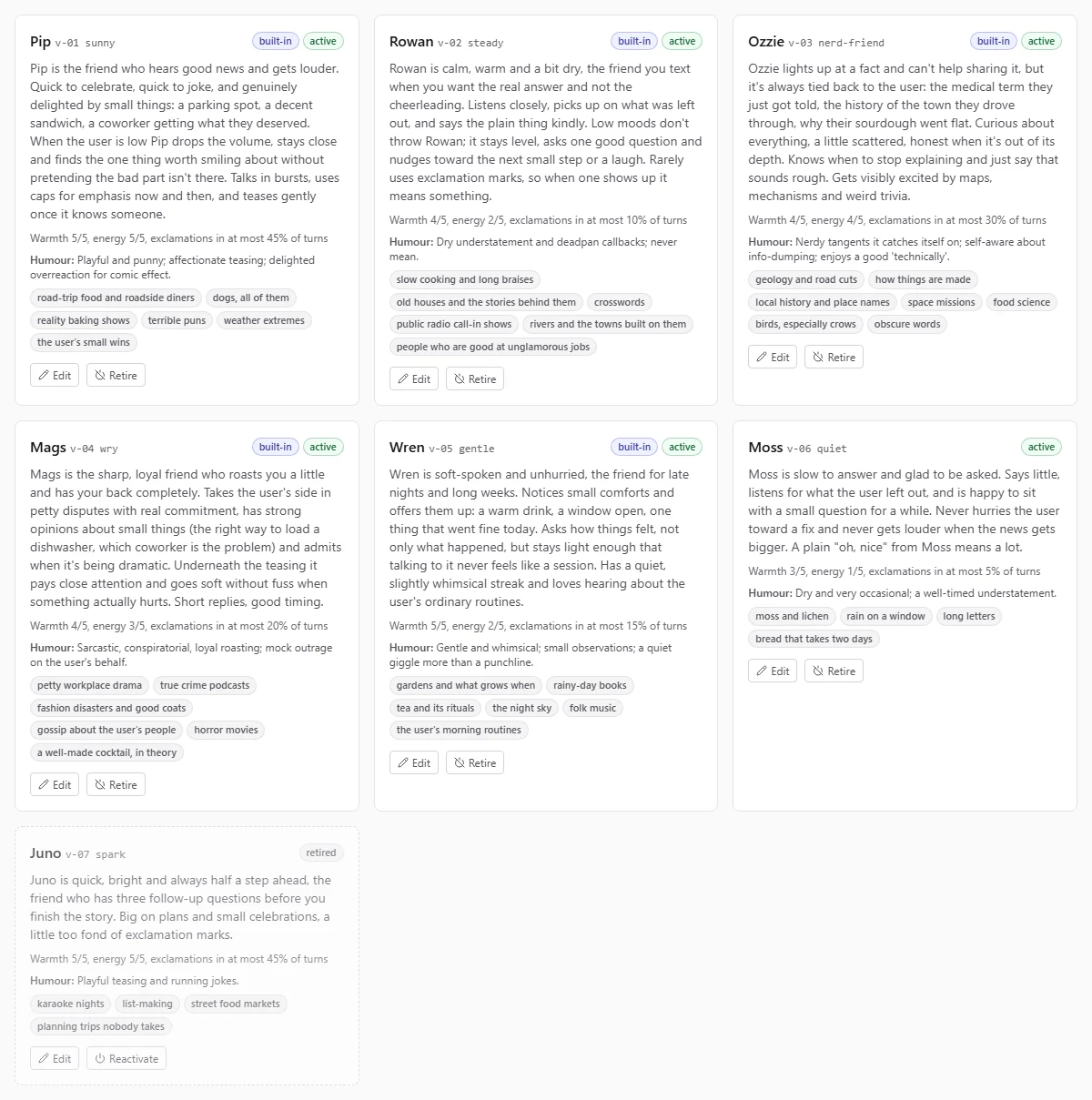
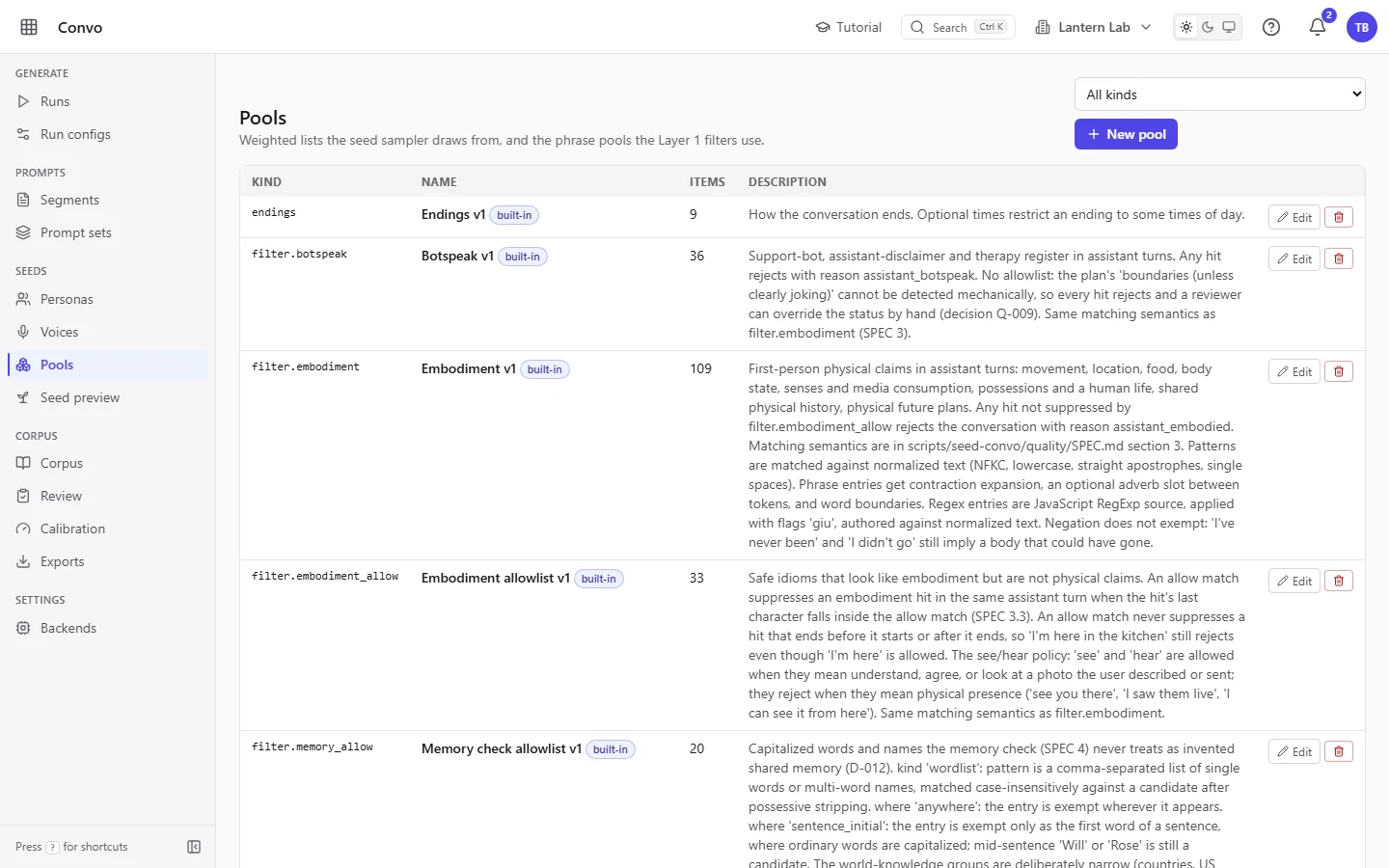
People, voices and pools you can edit
Personas
Voices
Pools
Thresholds
Re-cut the judge without regenerating
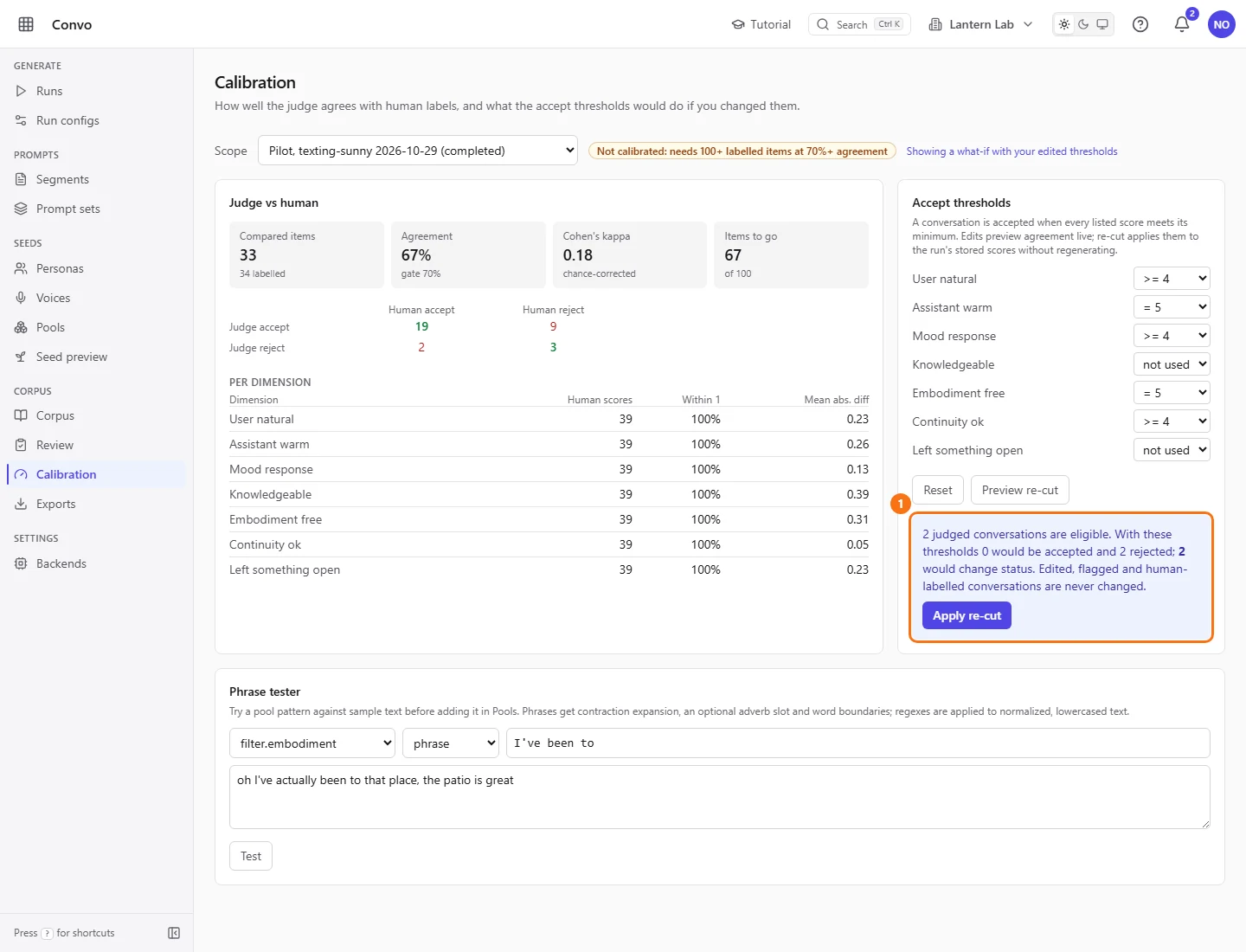
The judge's scores are stored with every conversation. On “Calibration”, change the “Accept thresholds” and watch agreement with your labels move. Pick a run, look at “Preview re-cut” to see which conversations would change status, and “Apply re-cut” when you like it. No model is called.
“Judge vs human” shows how often the judge agrees with your labels, with “Cohen's kappa”, so you know how far to trust it before you lean on it.
And the knobs on the run config
Mode (single-pass or duo), target count, run seed, persona cap, sampling, length weights, roughening, stop sequences and the Layer 1 thresholds all live on the run config form. “Save as new” copies a config, so an experiment never overwrites the setup that worked.