Corpus
Search every conversation from every run, fix text in bulk with a preview, and undo a whole batch at once.
The corpus is every conversation from every run in one list. You can search the text of every turn, filter by status or run, open any conversation and fix it, and replace text across many conversations in one batch.
Find every conversation that overuses a word
Theo is reading a pilot run and notices the assistant brings up spreadsheets a lot. Before he fixes anything, he wants to see how widespread it is.
- Step 1.
Open Corpus from the sidebar. Every conversation is listed with its code, run, persona, voice, status, length, turn count, judge scores and reject reason.
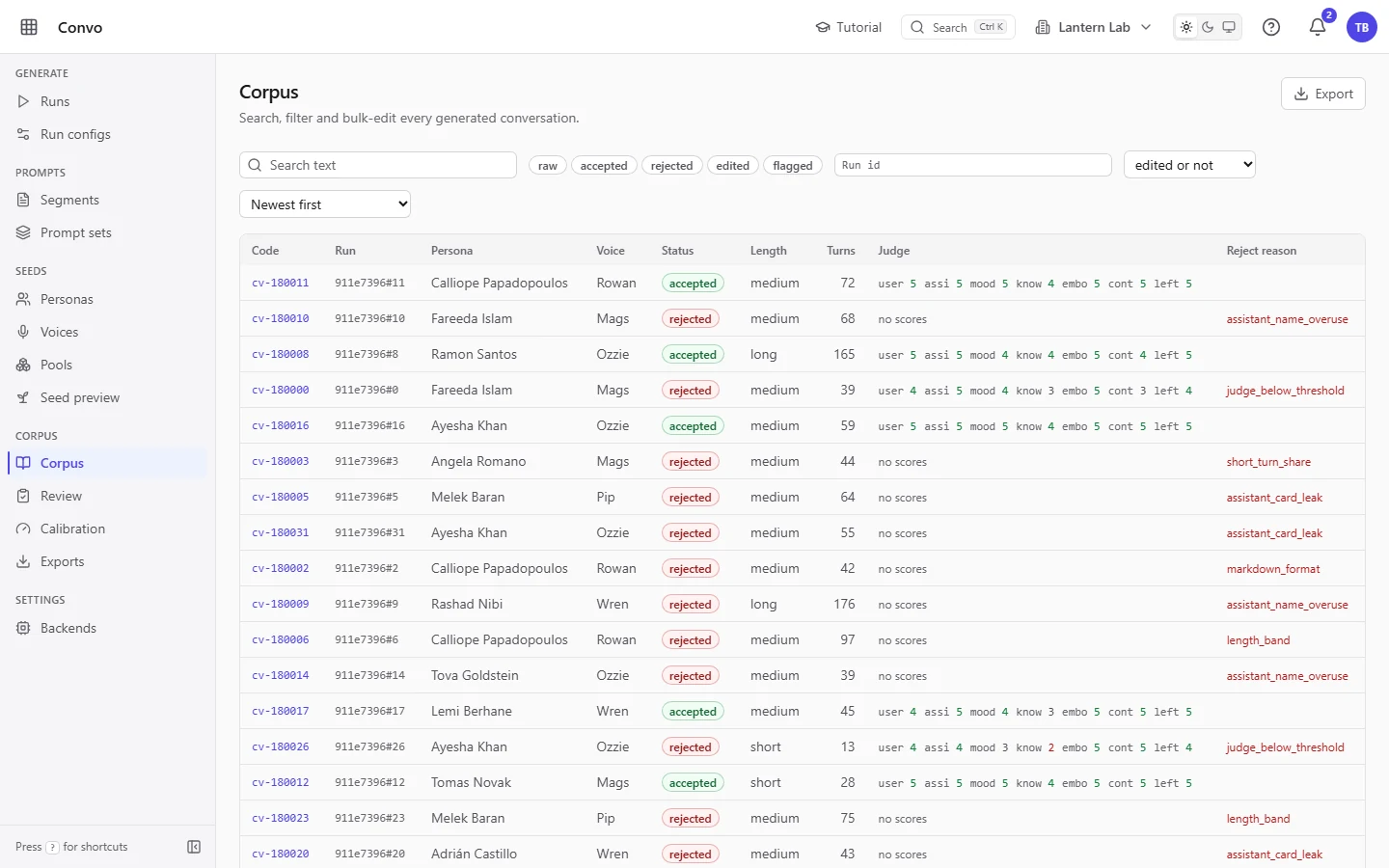
Newest first by default - Step 2.
Type
spreadsheetinto the "Search text" box. The list narrows as you type, and each match shows the turns that matched underneath its row, with the hit highlighted and the speaker, user or assistant, in front.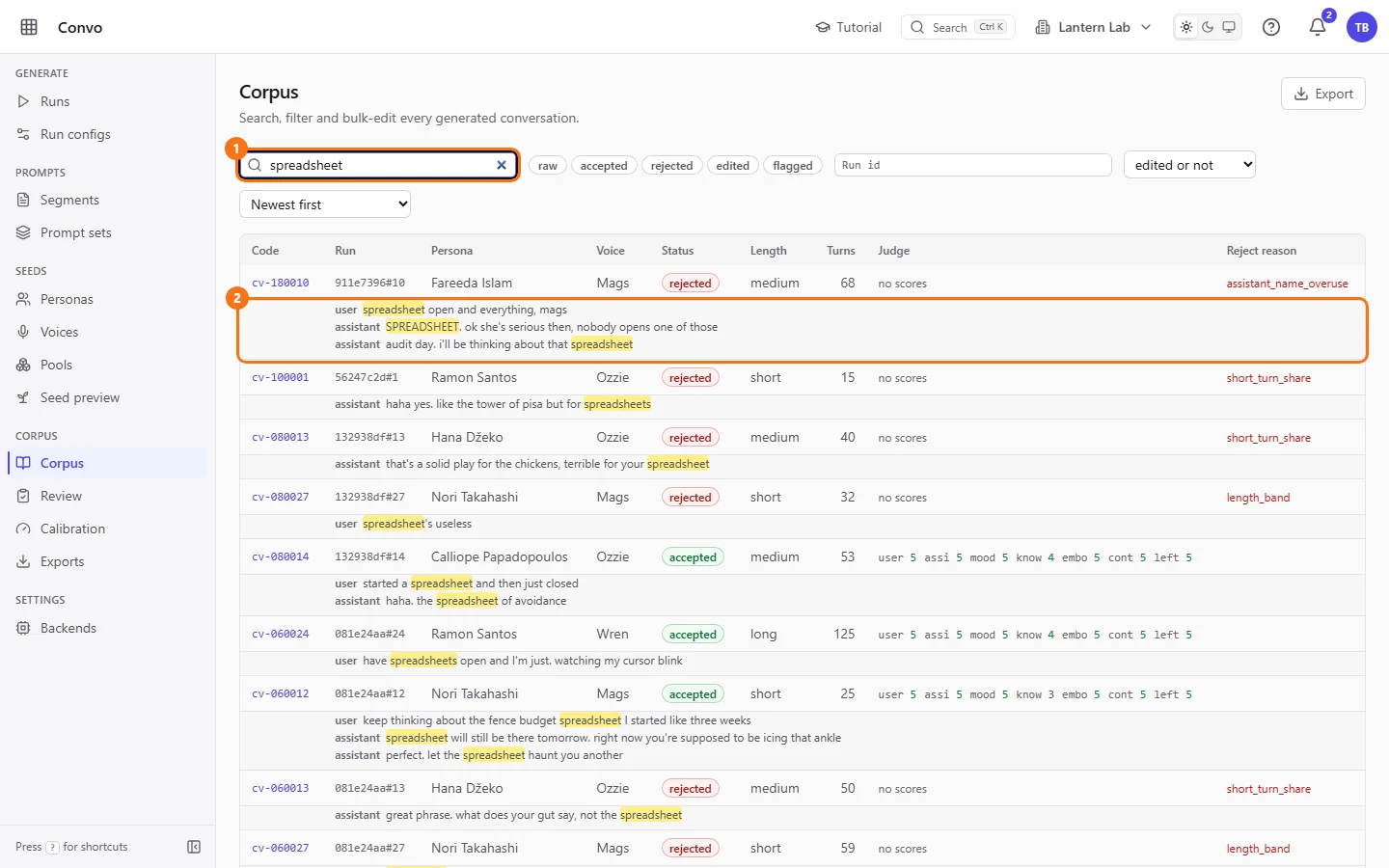
- Step 3.
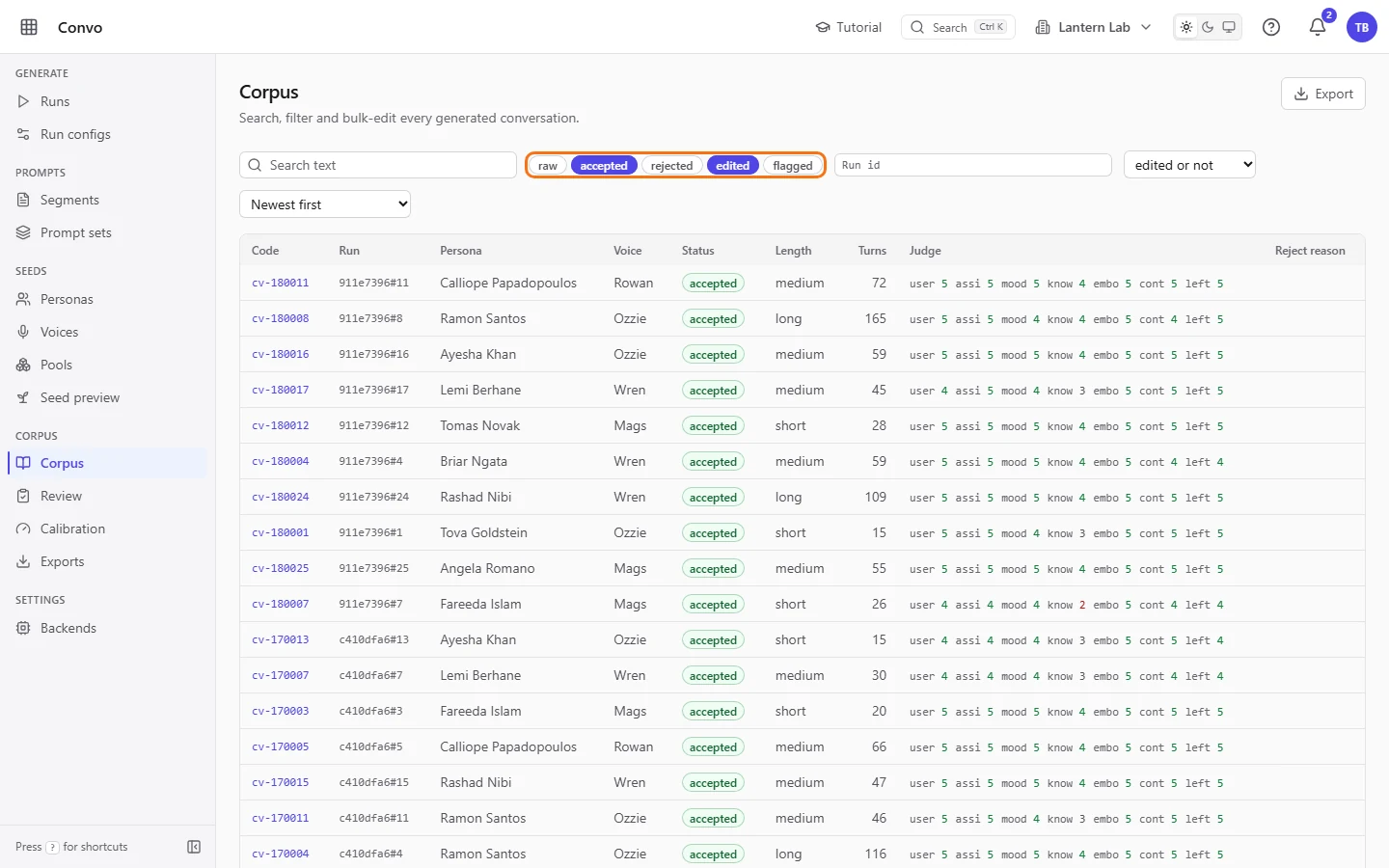
Click "accepted" and "edited" in the status chips to see only conversations that would go into an export. Click a chip again to turn it off.
- Step 4.
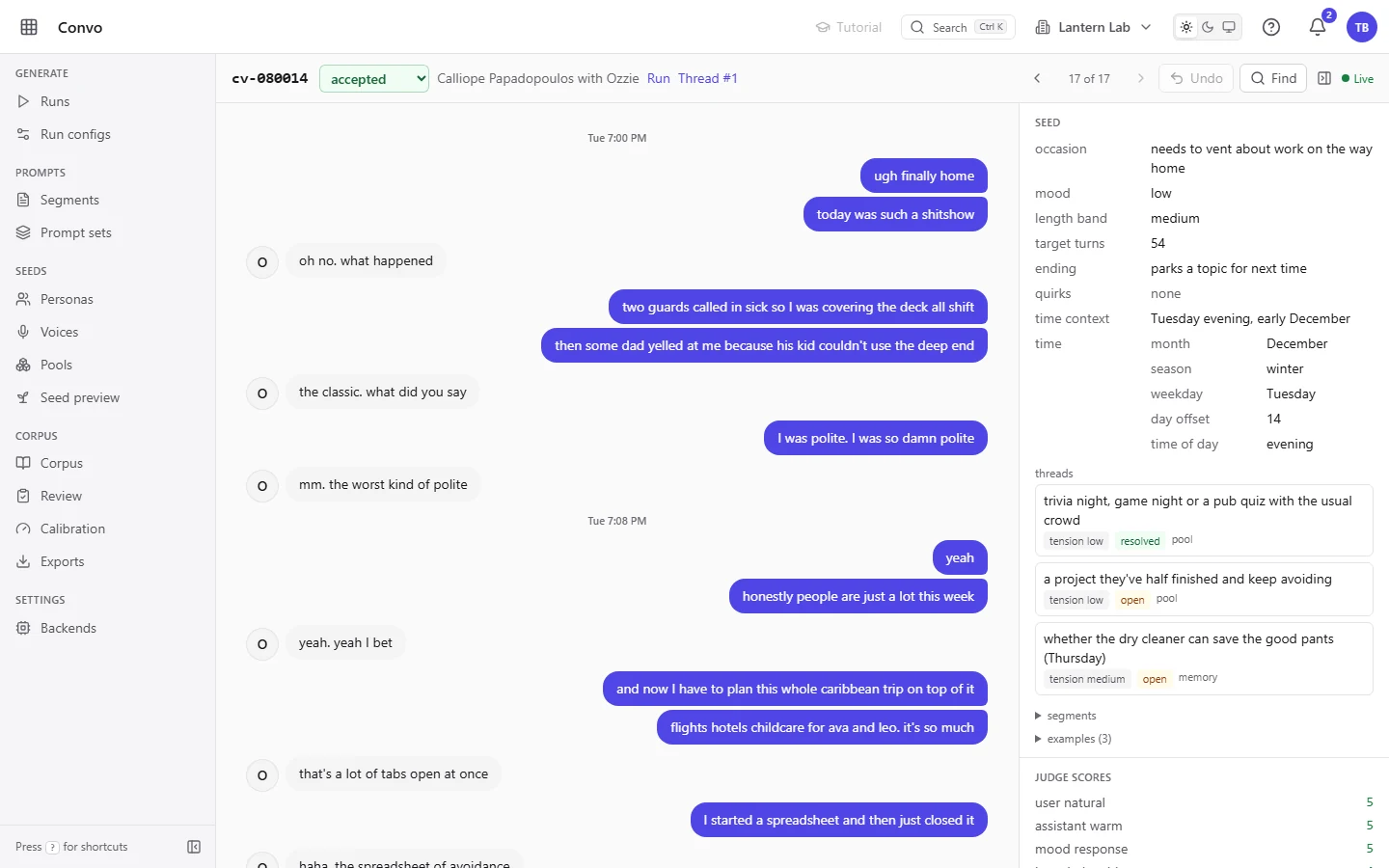
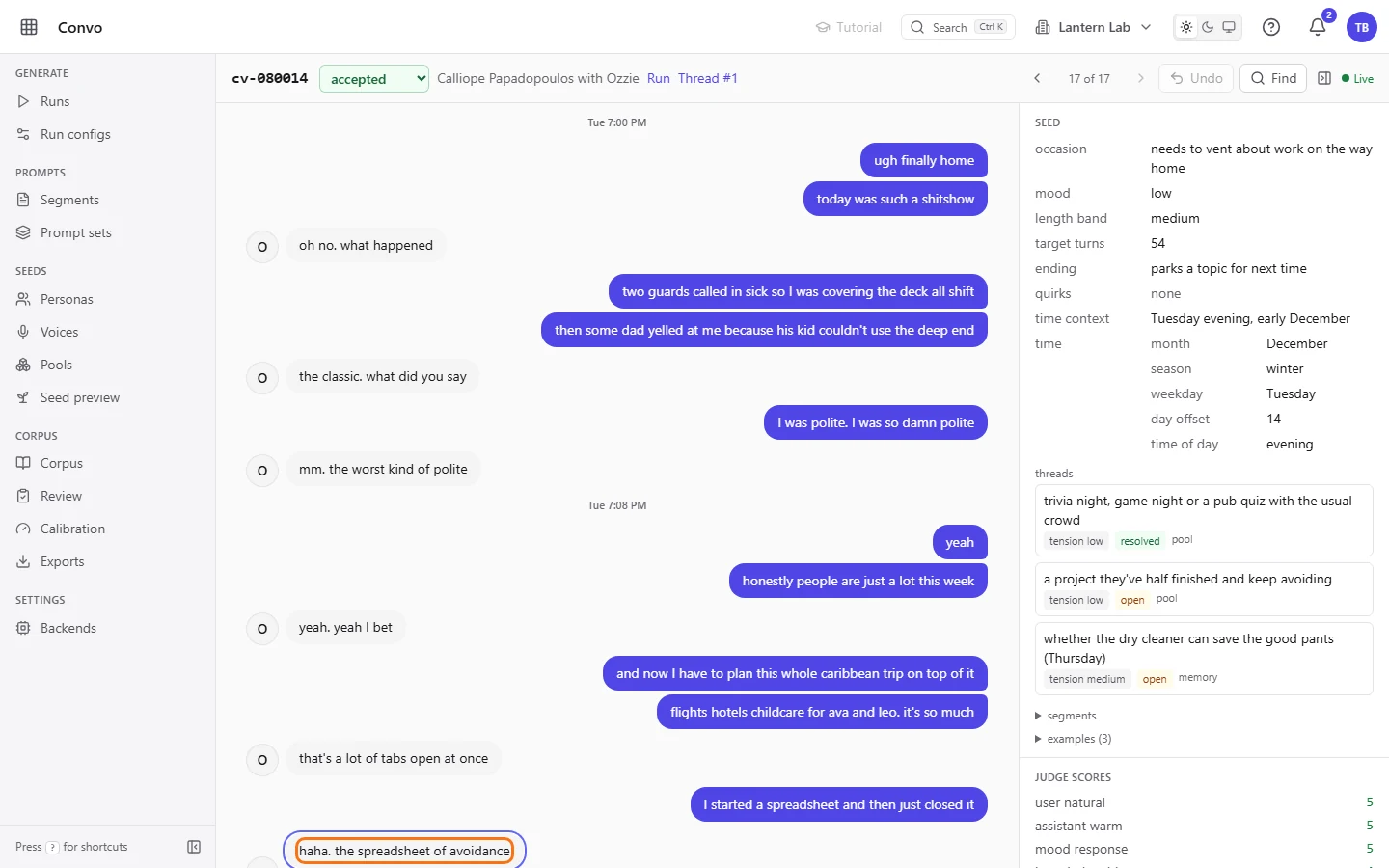
Click a conversation's code to open it. The person is on the right and the assistant on the left.
- Step 5.
Click the assistant's bubble, change the text and press Enter to save. An accepted conversation becomes edited; a rejected one keeps its status and only gets the edited mark. Press j to move on to the next conversation in your filtered list, or k to go back.
The filters and sort are kept in the page address, so Theo can send the link to a colleague and they see the same list. A search finds mentions, and fixing them one by one is fine for a handful. For dozens, use find and replace.
Replace a word in assistant turns, then undo it
Nadia is an admin. Theo's search found "spreadsheet" in more than a dozen assistant turns, and she wants to shorten it to "sheet" in one go, while leaving the user's own mentions alone.
- Step 1.
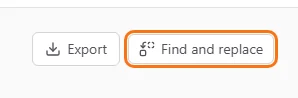
In Corpus, click "Find and replace" at the top right. Only admins see this button; anyone who can edit conversations can find and replace inside a single conversation.
- Step 2.
Type
spreadsheetin "Find" andsheetin "Replace". Set the role to "Assistant only" and leave the scope on "Everything". To work on one run, open it from Runs and click "Browse conversations" first; the corpus is then filtered to that run, and the scope menu offers "This run" too. The three icon toggles in front of the role menu narrow the match; hover over one to see its name: "Regex" lets you use a pattern, "Match case" and "Whole word" do what they say.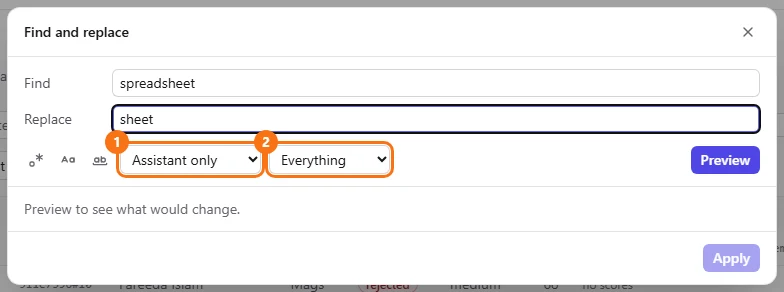
- Step 3.
Click "Preview". Every match is listed with its turn's text before and after the change, and the line above says how many matches there are, in how many turns and conversations.
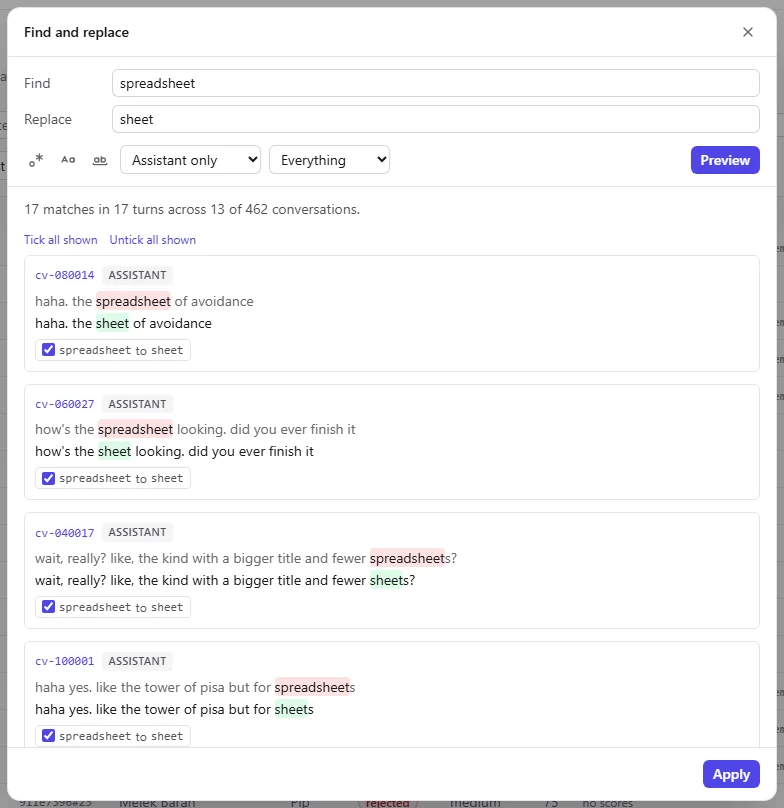
Nothing has changed yet - Step 4.
Untick any match you want to keep as it is. "Tick all shown" and "Untick all shown" work on the matches on screen.
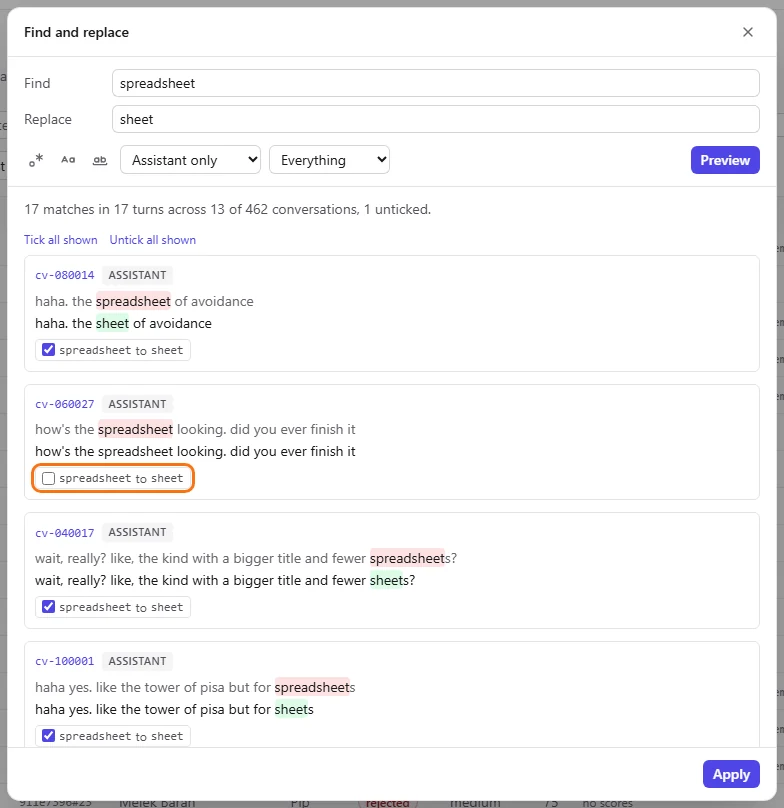
- Step 5.
Click "Apply". Every ticked match changes as one batch, and the dialog reports how many replacements it applied. For a scope of more than 500 conversations, the preview shows counts only ("Show preview" loads the matches) and the batch runs in the background.
- Step 6.
Close the dialog and scroll down to "Edit history". Every batch is listed with what it found and replaced, its scope, its match and applied counts and when it ran. An applied batch has an "Undo" button.

An earlier batch in the same workspace; your new batch appears at the top with its own Undo - Step 7.
If the change was a mistake, click "Undo" on that batch. Every turn it changed goes back, and the batch now reads undone. A turn that someone edited after the batch is left alone and counted as skipped in the batch's line.
Every change is recorded with its batch, so Nadia can undo a batch days later too. Only the turns nobody has touched since go back.
Pick up where another reviewer left off
Ines shares review work with a colleague and wants to see what has already been changed by hand, most recent first.
- Step 1.
In Corpus, open the "edited or not" menu and choose "edited".
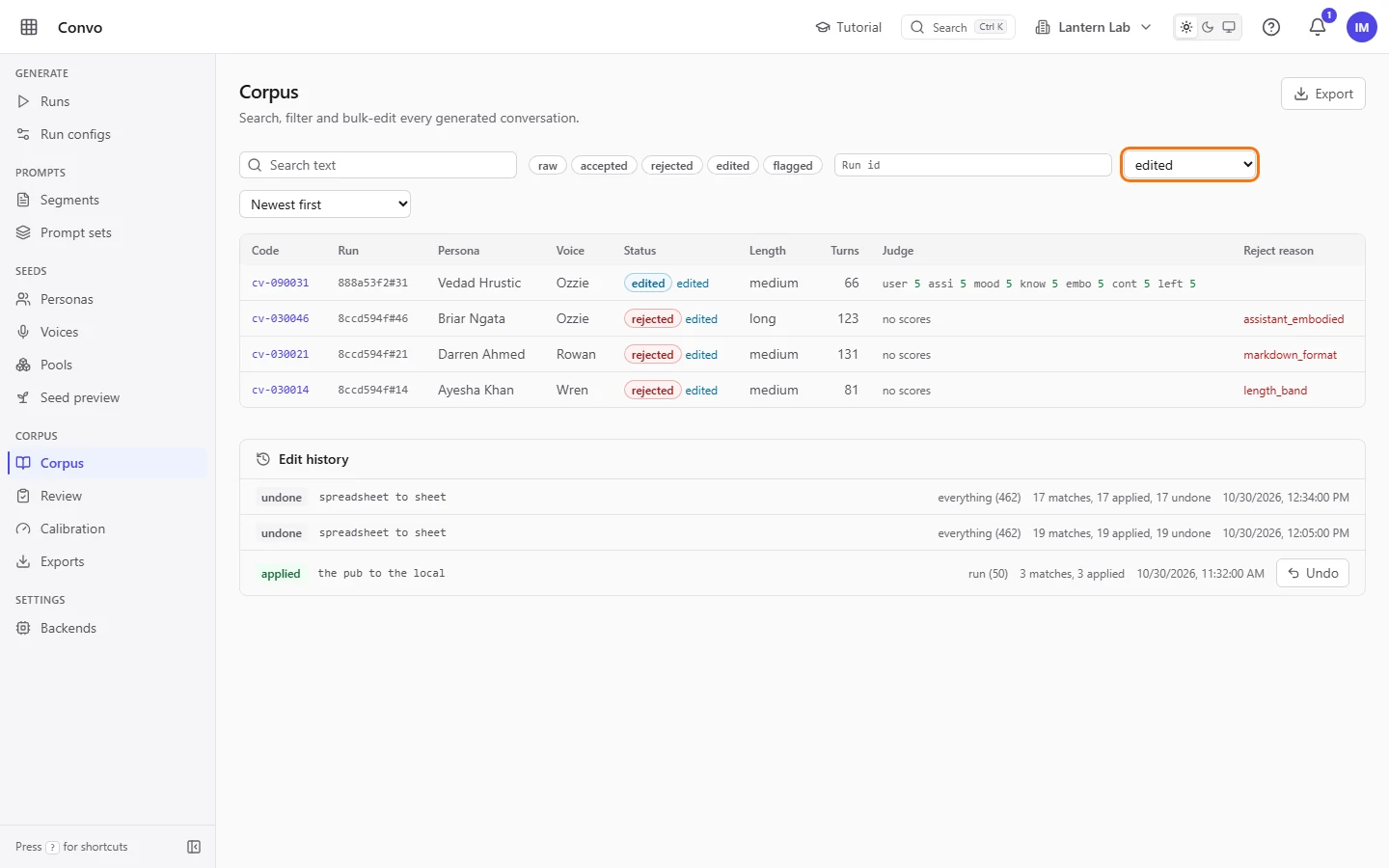
- Step 2.
Open the sort menu and choose "Recently changed". The conversations someone touched last come first.
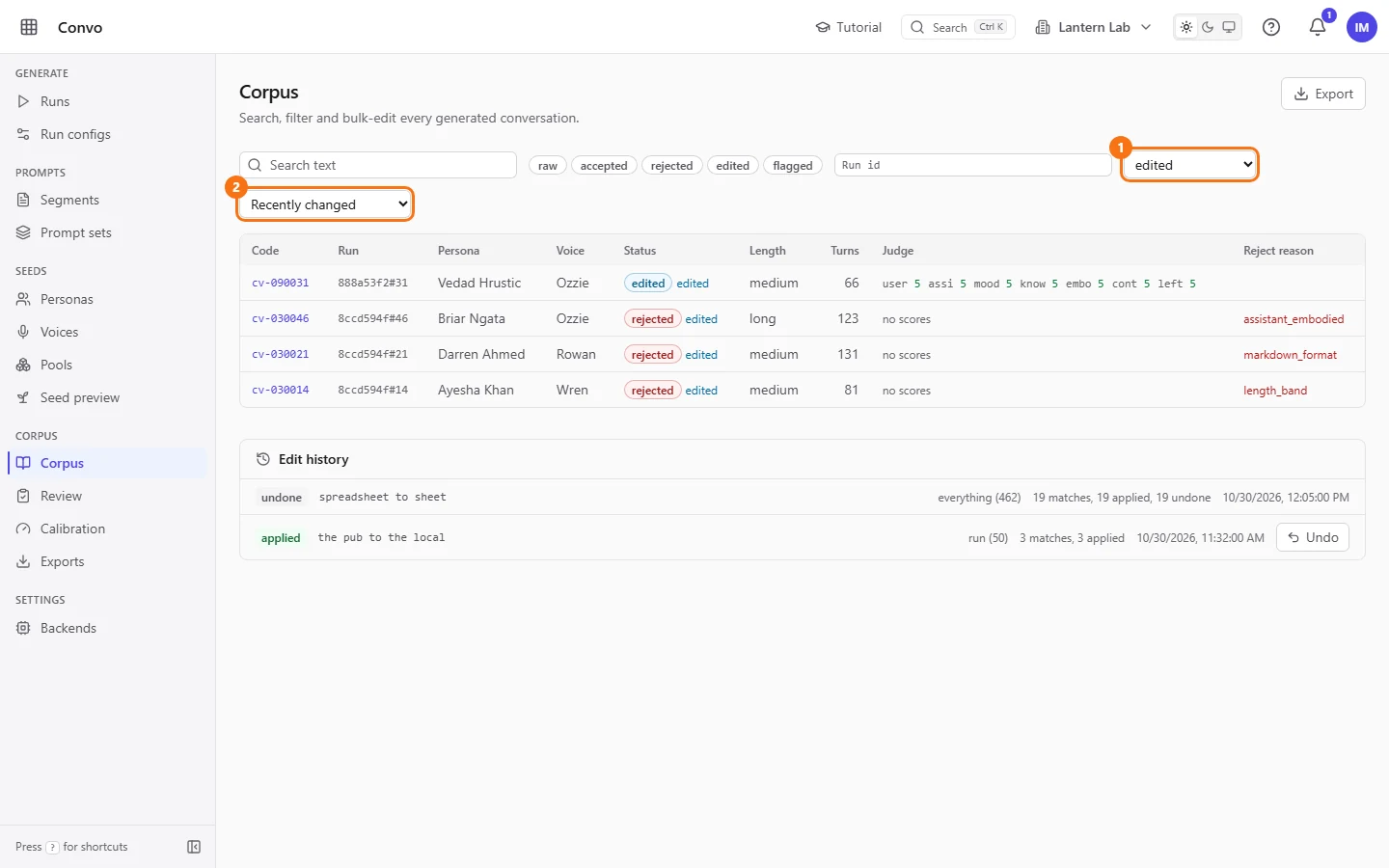
- Step 3.
Click "Export" to export exactly this list. The export uses the status, run and edited filters on the page, but not the search text.
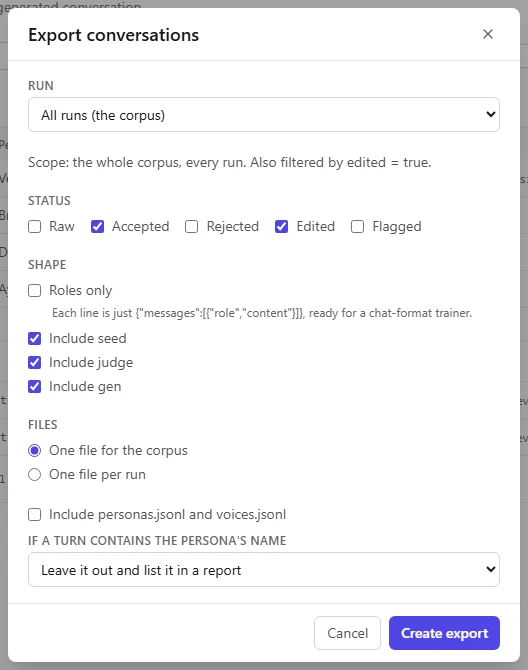
Ines can check her colleague's fixes, or hand the edited conversations straight to an export. See Exports.