Personas
Keep the pool of user cards that conversations are seeded from accurate, varied and up to date.
A persona card describes the user side of a conversation: a person with a name, age, city, job, household and a few worries. Runs sample only the cards on the "Active" tab, so editing, retiring and reviewing cards here changes who shows up in your next run.
Fix a persona whose job is too vague
Dana is reading pilot conversations and notices that every chat with Marisol Vega is generic office small talk. Her card says she is an "office worker", which gives the model nothing concrete to talk about.
- Step 1.
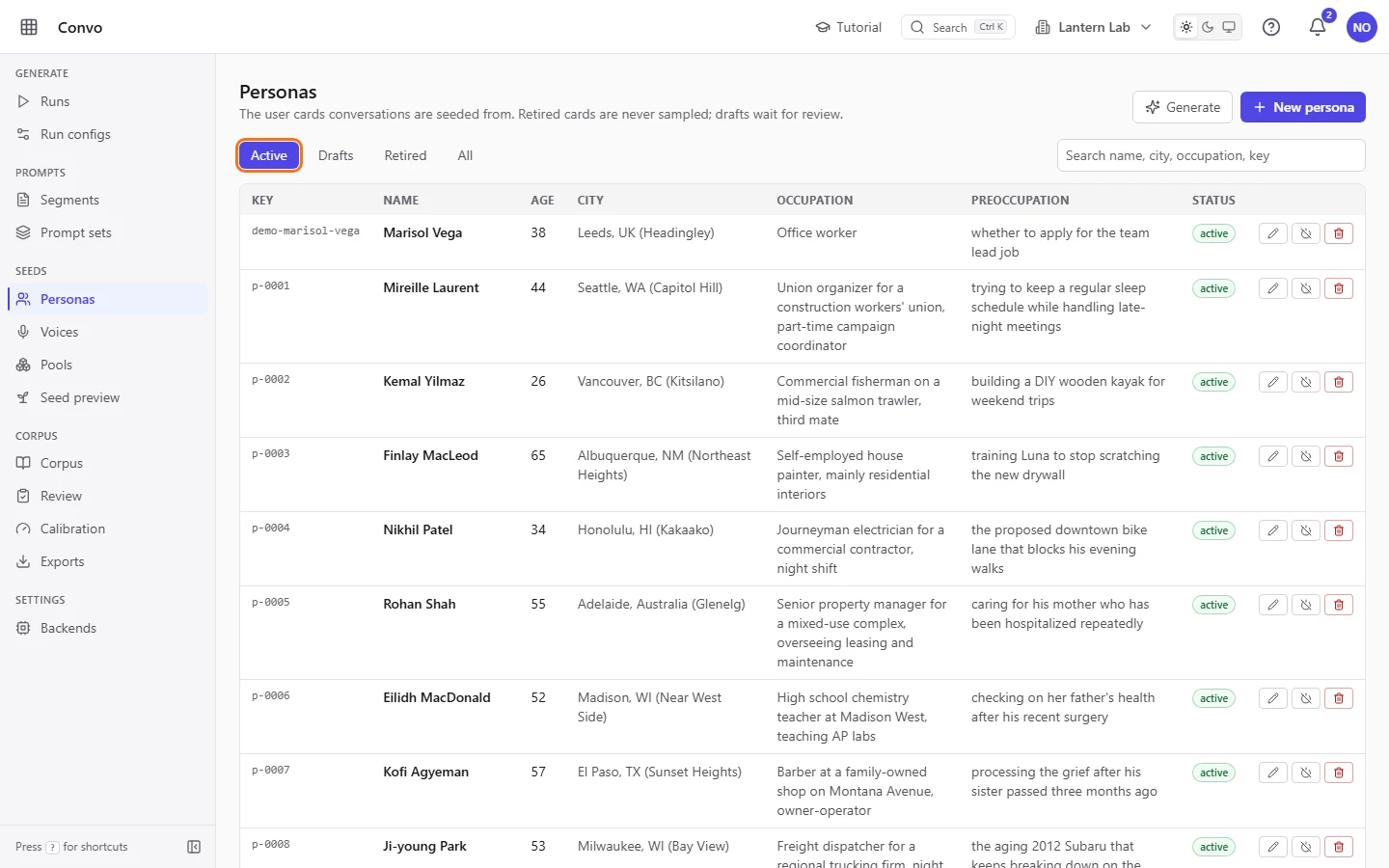
Open Personas from the sidebar. The "Active" tab lists the cards runs can sample, one card per row.
- Step 2.
Type
marisolin the search box. Search matches part of a name, city, occupation or key, within the tab you are on.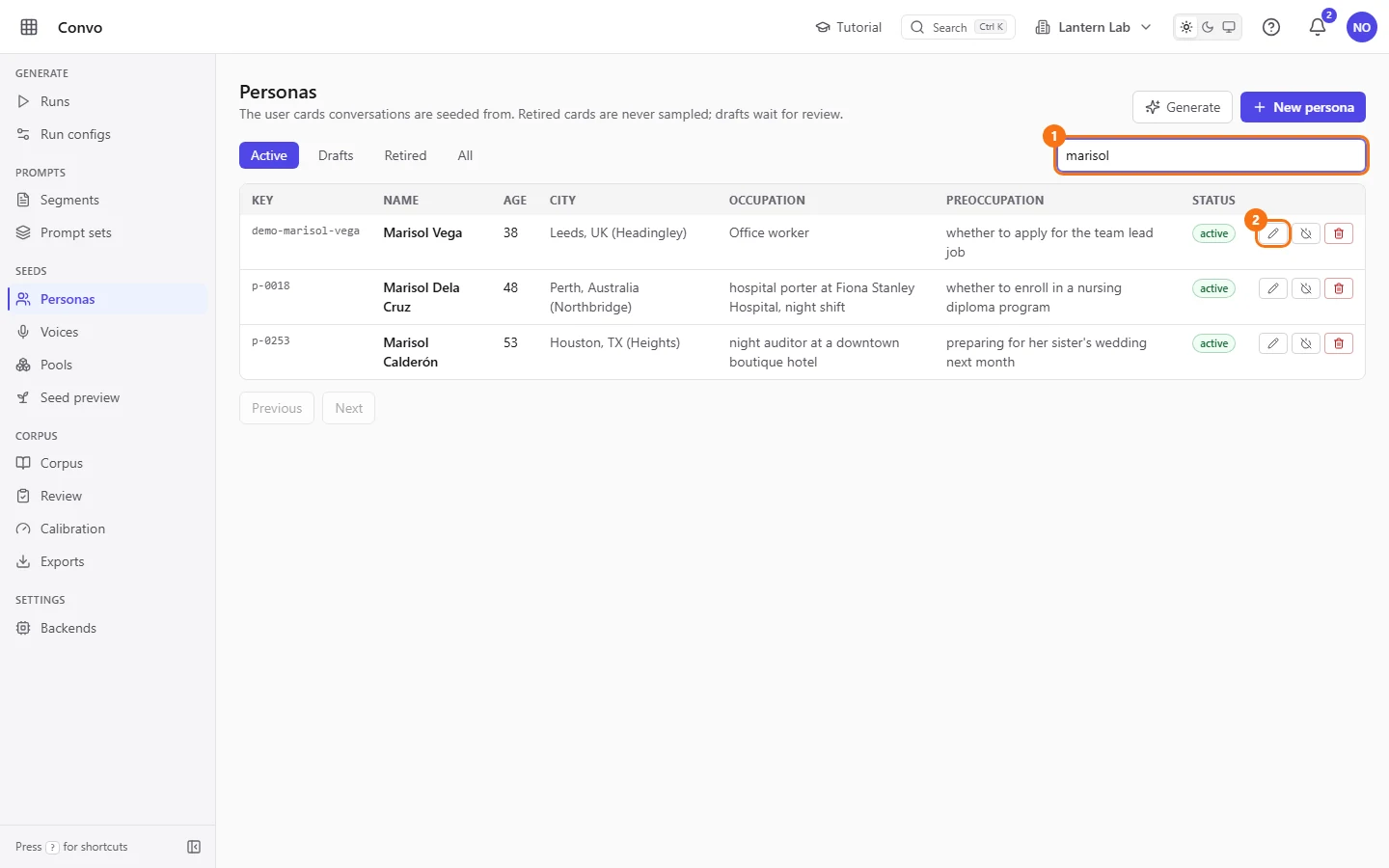
- Step 3.
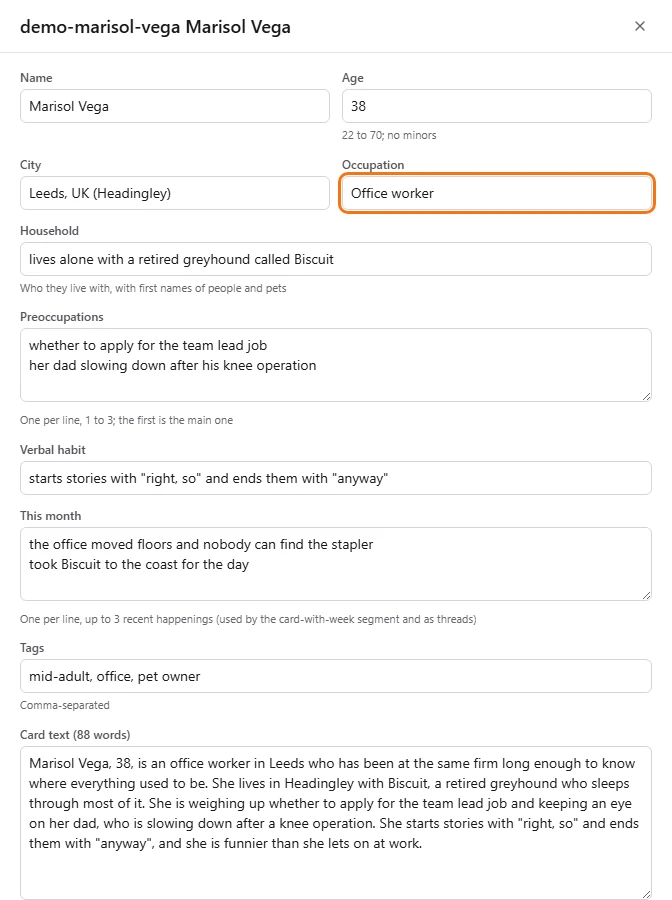
Click the pencil on her row. The editor opens with her key and name as its title.
- Step 4.
Replace "Occupation" with a specific job, such as
claims adjuster at a regional car insurer. A concrete job gives the conversation concrete small talk. - Step 5.
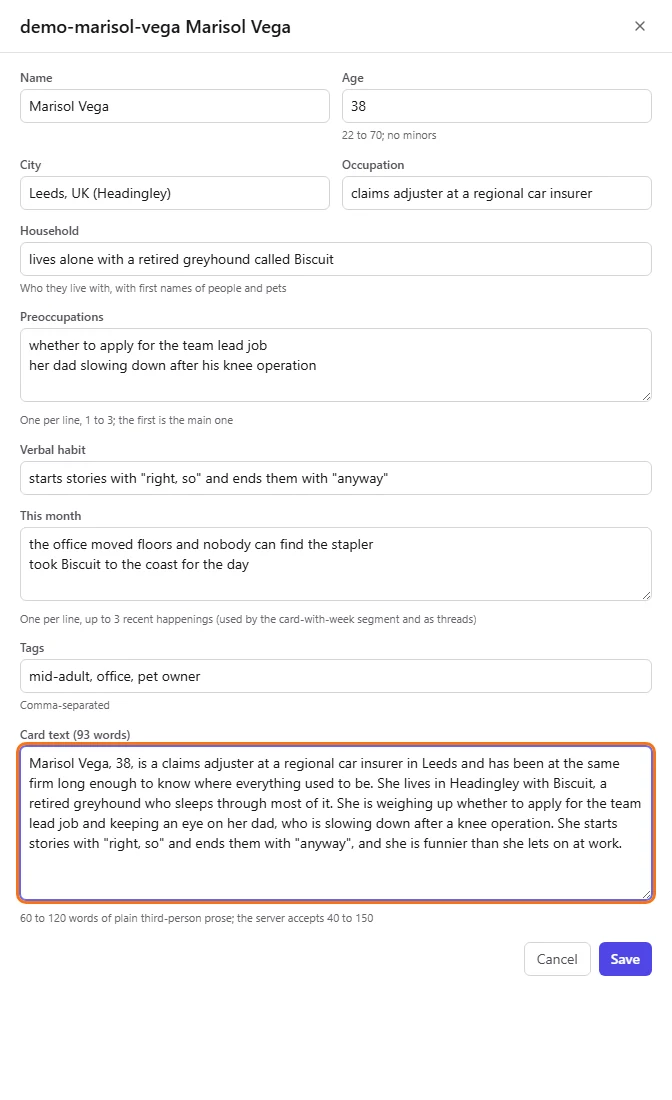
Scroll to "Card text" and change the job there too, so the card agrees with the fields. The label counts the words as you type. Aim for 60 to 120 words of plain third-person prose; the server accepts 40 to 150.
- Step 6.
Click "Save". The change applies at once, and the next run uses it. "Cancel" closes the editor and throws your edits away.
Every conversation the next run seeds from Marisol's card starts from her new job.
Top up the pool with generated personas
Ken wants more cards before a big run. Rather than write them by hand, he has a model draft them and then reads each one before it goes live.
- Step 1.
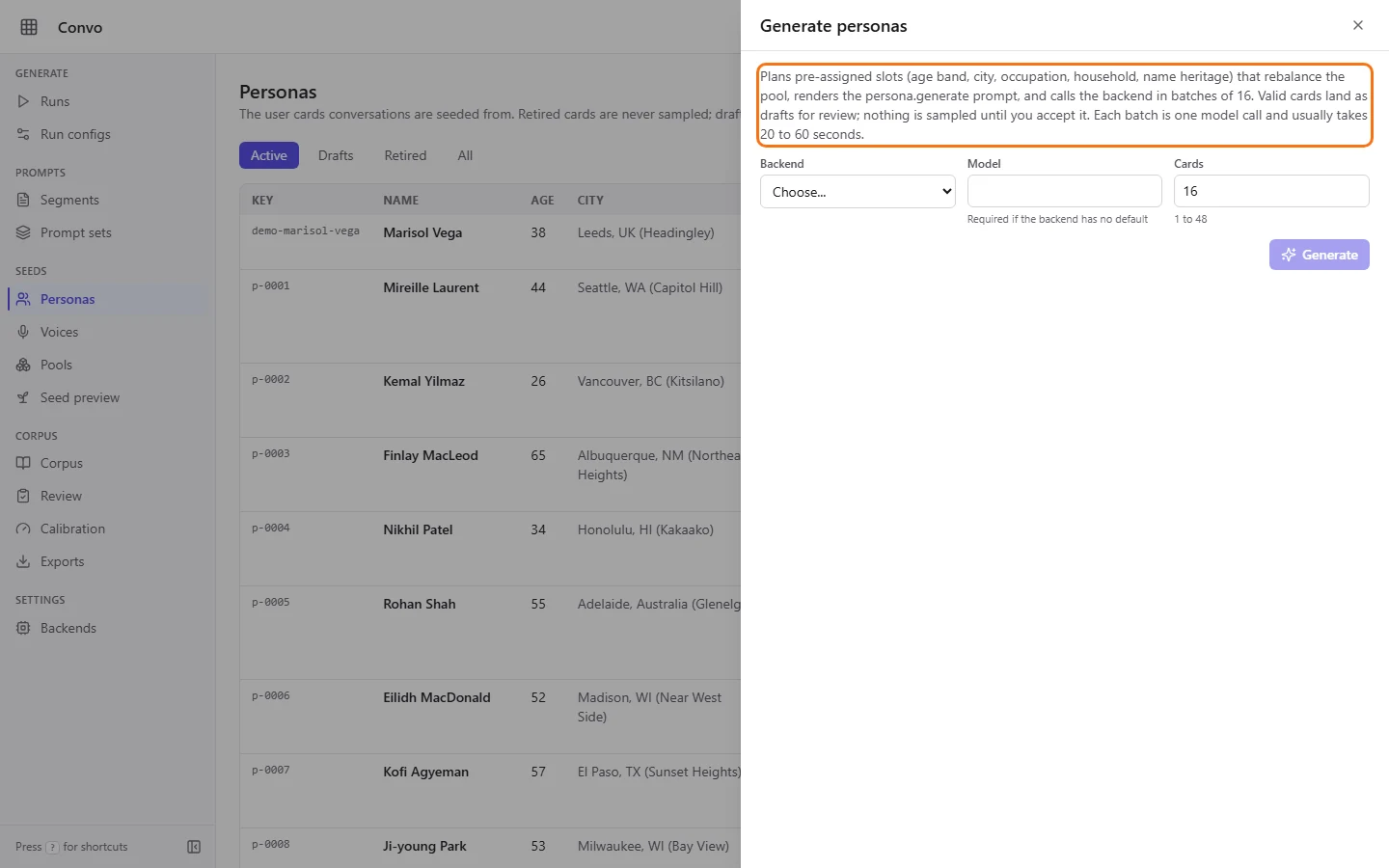
On Personas, click "Generate". The "Generate personas" panel opens. Generation plans the new cards to rebalance the pool by age band, city, occupation, household and name heritage. You don't choose those yourself.
- Step 2.
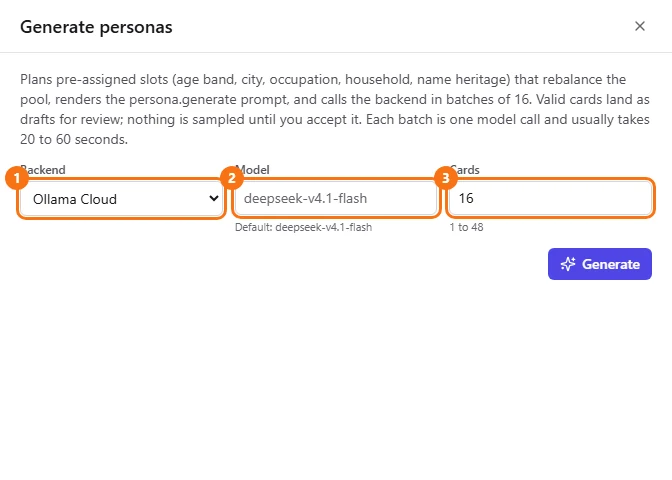
Choose a "Backend". Leave "Model" empty to use the backend's default, shown under the box, or type another model name. Set "Cards" to how many you want, from 1 to 48.
- Step 3.
Click "Generate" when you are ready to spend. The panel asks the model for cards in batches of 16, one after another; each batch is one paid model call and usually takes 20 to 60 seconds. Try 4 cards first with a model you haven't used before. Cards that fail validation are listed under "Rejected by validation" and never stored. The rest land as drafts.
- Step 4.
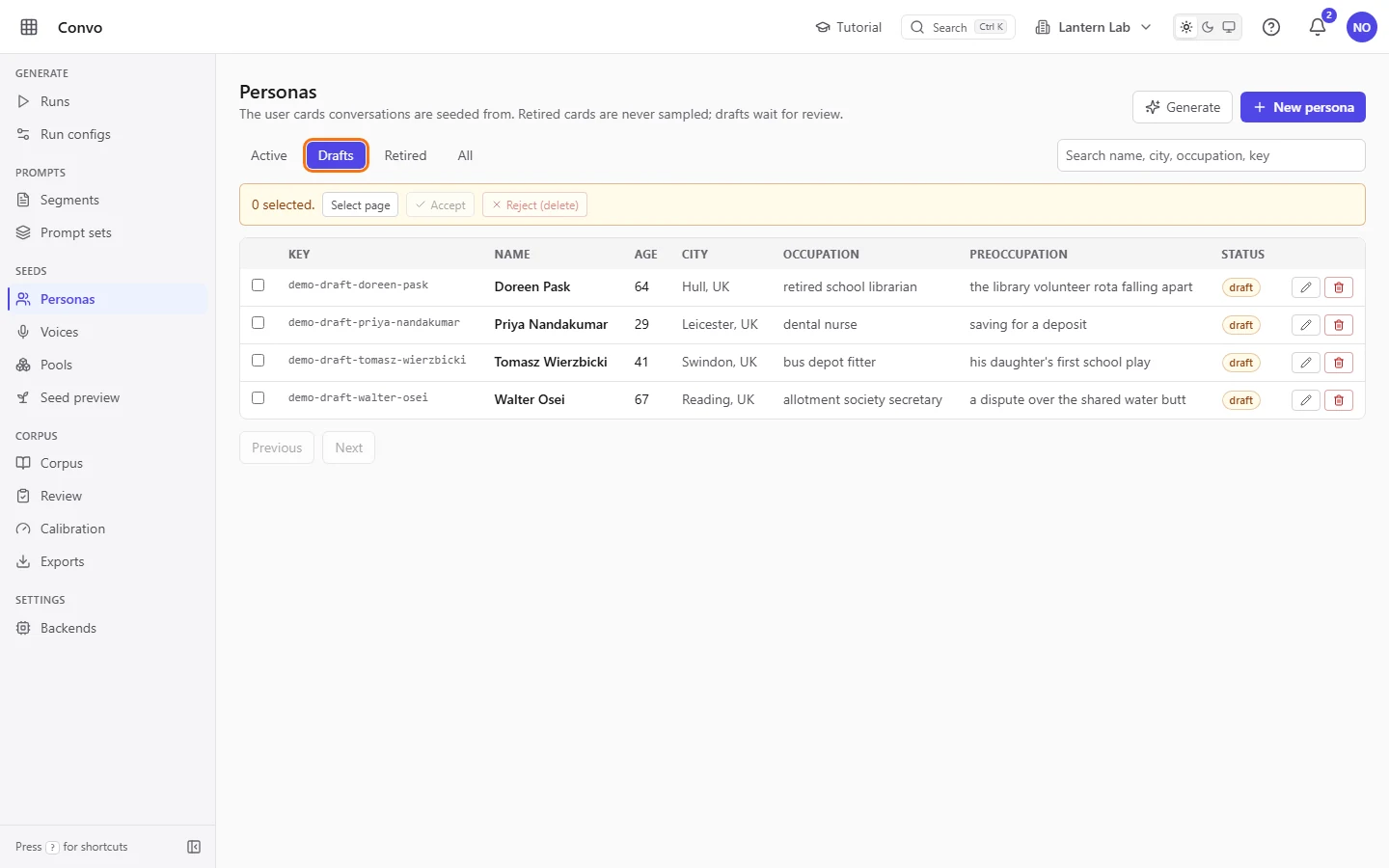
Click "Review drafts" in the panel, or the "Drafts" tab. Every row here has the "draft" status, and runs never sample a draft. Open a draft with the pencil to read the whole card or fix it.
- Step 5.
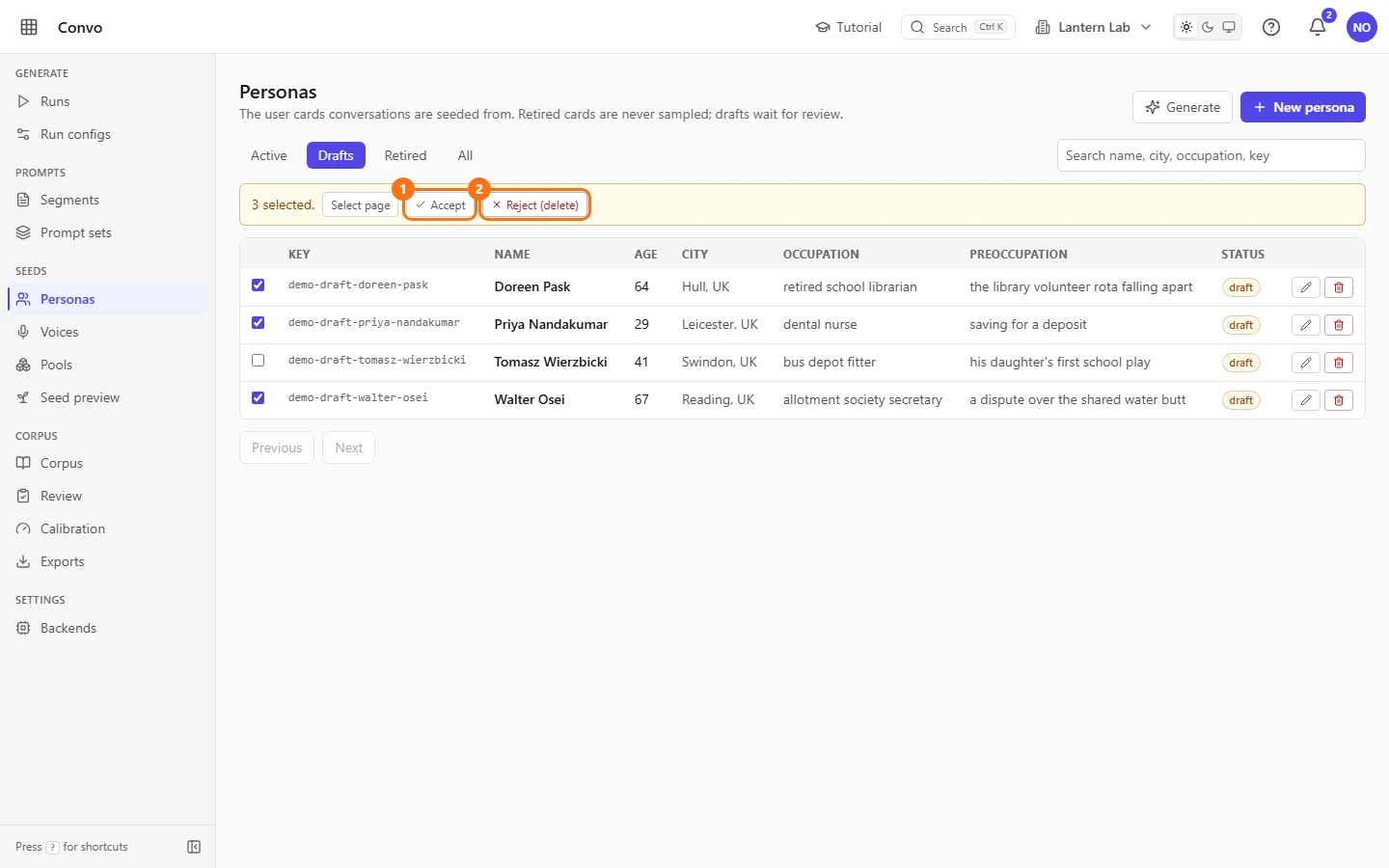
Tick the drafts you have read and want to keep, or click "Select page" to tick every draft on the page. The bar shows how many are selected.
- Step 6.
Click "Accept". The ticked drafts become active, and the next run can sample them. For drafts that don't read like a real person, tick them and click "Reject (delete)", which removes them for good.
Accepted cards appear on the "Active" tab alongside the rest of the pool.
Take a persona out of rotation
Priya has a card she no longer wants in new conversations, but older runs used it and she wants those conversations to keep their link to it.
- Step 1.
On the "Active" tab, find the card and click the power button on its row (its tooltip reads "Retire"). The card is retired at once, with no Save step, and a "Retired" message confirms it.

- Step 2.
Open the "Retired" tab to see it. Retired cards keep their history but are never sampled.
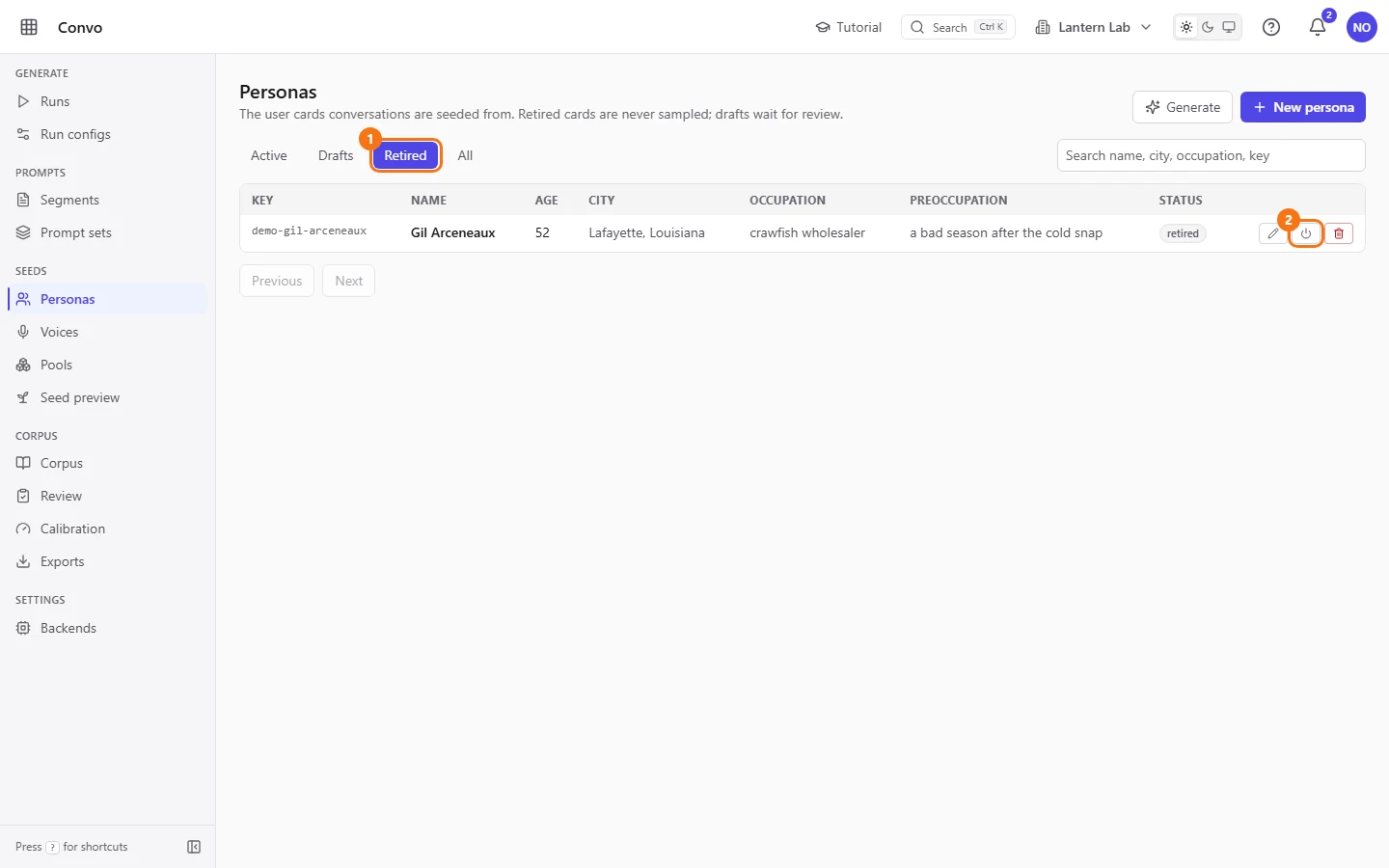
- Step 3.
To bring a card back, click the same button on the "Retired" tab. There its tooltip reads "Reactivate".
Retire rather than delete a card that has been used. The red bin deletes a card outright: past conversations lose their link to it, and a card that shipped with Convo comes back at the next re-seed anyway.